



 Shopping Cart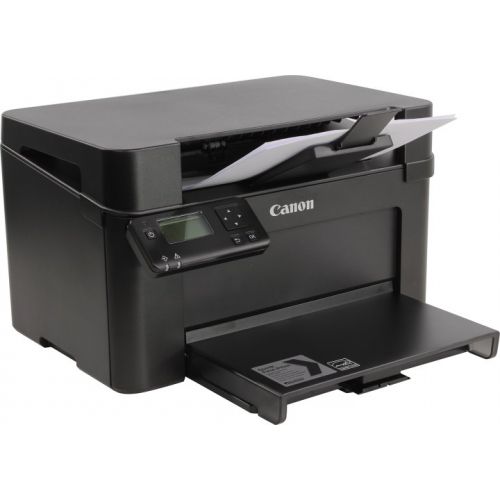




*** ALL TONERS AND SUPPLIES ARE IN STOCK AT DISCOUNTED PRICING , CALL +18882983095..
Printers do not include supplies - toners , drums (Imaging Units) (where applicable) , printer cables , manuals , consumables , trays (where applicable). Power cables are included. Drivers can be downloaded at www.hp.com. Please verify that drivers available are compatible with your software on HP’s site.
Product Details
Specifications
Accessories
Reviews
Product Details
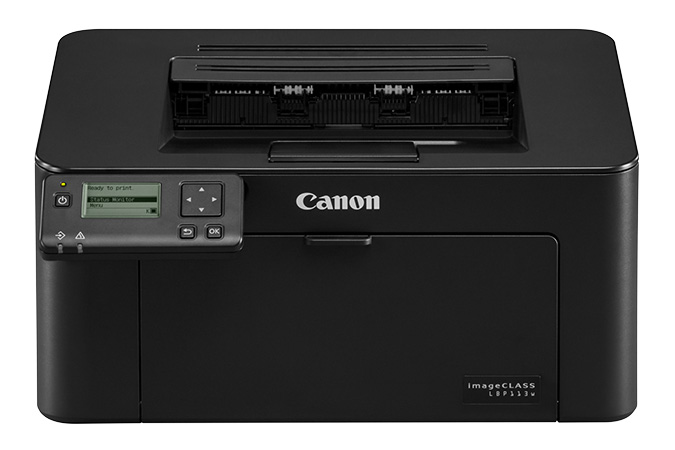
Main Features
- Monochrome Laser Printer
- Print Speed: 23 ppm
- First print-out time as fast as 6.3 seconds
- 150 sheet maximum paper capacity
- Supports various mobile printing solutions
- Easily connect mobile devices without a router using Wi-Fi® Direct Connection
- ENERGY STAR® certified and rated EPEAT® Silver
Specifications
General Specifications
|
MAIN UNIT |
|
|
CORE FUNCTIONS |
Standard: Print |
|
ITEM CODE |
2207C004 |
|
CONTROL PANEL |
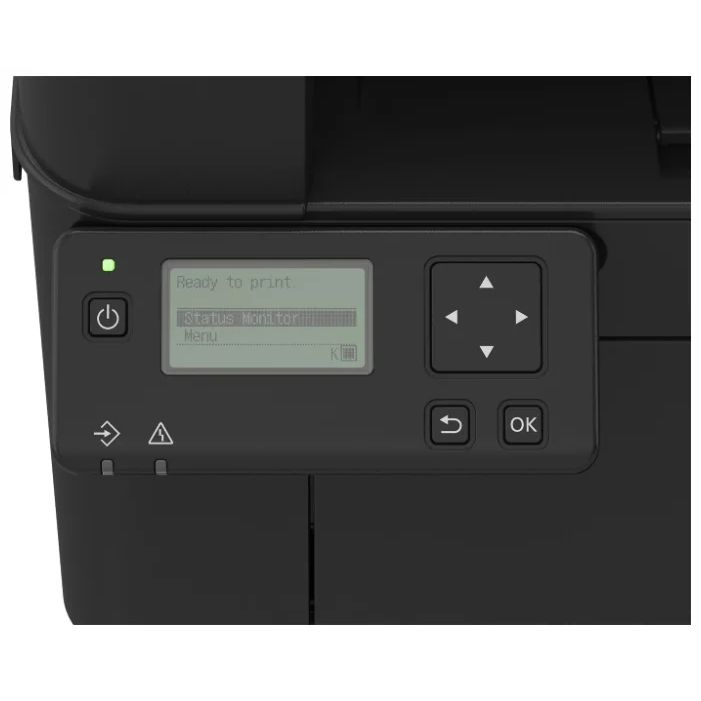
5-Line |
|
MEMORY |
256 MB |
|
STANDARD INTERFACE CONNECTION |
USB 2.0 x1 (Device) High-Speed, Wi-Fi 802.11b/g/n, |
|
PAPER CAPACITY (LETTER, 20 LB. BOND) |
Standard: 150 Sheets |
|
PAPER SOURCES (LETTER, 20 LB. BOND) |
Standard: 150-sheet Paper Cassette |
|
PAPER OUTPUT CAPACITY (LETTER, 20 LB. BOND) |
Standard: 50 Sheets |
|
SUPPORTED MEDIA TYPES |
Cassette: Plain, Recycled, Thick, Bond, Label, Envelope (One Envelope) |
|
SUPPORTED MEDIA SIZES |
Cassette: Letter, Legal, Statement, Executive, Custom (Min. 3" x 5" to Max. 8.5" x 14") |
|
SUPPORTED MEDIA WEIGHTS |
Cassette: 16 lb. Bond to 43 lb. Bond (60 g/m2 to 163 g/m2) |
|
WARM-UP TIME |
From Power On: 15 Seconds or Less |
|
DIMENSIONS (W x D x H) |
Standard: 14.8" x 11.5" x 8.8" |
|
WEIGHT |
Machine Only: Approx. 12.1 lb. (5.5 kg) |
|
PRINT SPECIFICATIONS |
|
|
PRINTING METHOD |
Laser Beam Printing |
|
PRINT SPEED |
Up to 23 ppm (Letter); Up to 18 ppm (Legal) |
|
FIRST PRINT-OUT-TIME |
Approx. 6.3 Seconds |
|
RECOMMENDED MONTHLY PAGE VOLUME |
150 - 1500 |
|
PRINT RESOLUTION (dpi) |
Up to 600 x 600 |
|
STANDARD PAGE DESCRIPTION LANGUAGES |
UFR II LT |
|
PRINTING FROM MOBILE AND CLOUD-BASED SERVICES |
Apple® AirPrint,® Canon PRINT Business, Mopria™ Print |
|
OPERATING SYSTEM |
UFR II/PCL: Windows® 7/ Windows 8.1/ Windows 10/ Windows Server 2008/ Windows Server 2008 R2/ Windows Server 2012/ Windows Server 2012 R2/ Windows Server 2016, Mac OS X v10.8.5 (or later) |
|
SECURITY SPECIFICATIONS |
|
|
NETWORK |
Standard: IP Address Filtering, TLS Encrypted Communication, SNMP V3.0, IPv6 |
|
WI-FI® AUTHENTICATION METHODS |
Wi-Fi Infrastructure Mode: WEP 64/128 bit, WPA-PSK (TKIP/AES), WPA2-PSK (TKIP/AES) |
 Download Manufacturer Specifications
Accessories

Reviews


Printer not working? The printer memory could be full and not getting prints or the prints may be stuck in the print queue. Turn-off the printer, wait a few seconds and turn it back on.
Is your printer feeding in the whole paper stack rather than just one piece at a time? Fan the paper before putting it in the tray to help separate the sheets. Also, store your paper in a cool, dry place as humidity can contribute to this problem.
Use a lightly dampened cloth to clean the outside of your laser printer. To clean the inside, use a dry, lint-free cloth to make sure that no liquid enters the inner parts of the printer.
MY ACCOUNT
INFO & POLICIES
SHOP EASY
PAYMENT OPTIONS



