



 Shopping Cart
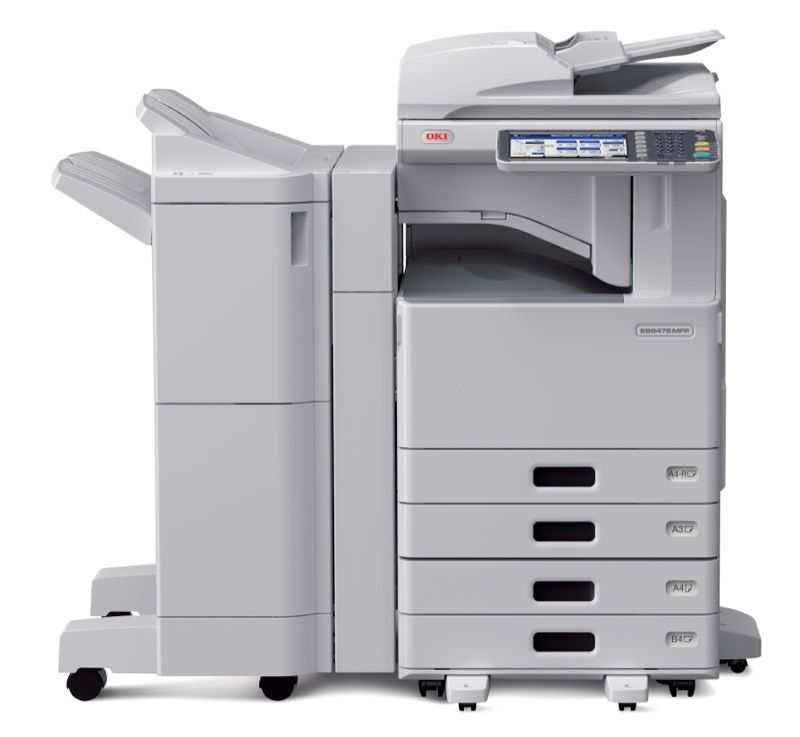
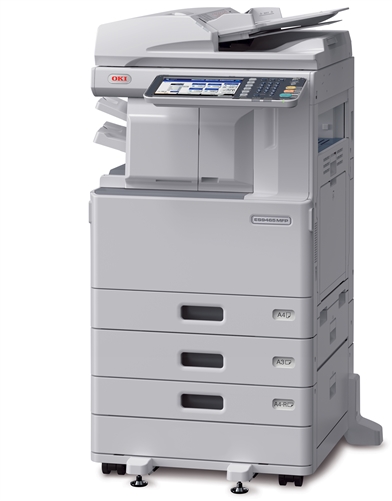
 Okidata ES9475 Color Multifunction Printer



Product Details
Specifications
Accessories
Reviews
Product Details
Main Features
- A3 Color Multifunction Printer
- LED-based print engine
- Print, Copy, Scan, Optional Fax
- Print Speed: 50 ppm (color, mono)
- Time to first page: 6.1 seconds (color); 4.7 seconds (mono)
- Processor: 1.2 GHz CPU
- Standard Duplex Print
- Memory: 2GB
- Maximum Paper Capacity: 3,200 sheets
- Scan to / print from USB memory drive
- High-security, self-encrypting hard drive
- Open architecture (Smart Extendable Platform) for Web-based solutions
- Tilting operator panel with 9" LCD touchscreen
- Various finishing options
Specifications
General Specifications
COPY
| Type | Desktop |
|---|---|
| Scanning Method | Color CCD |
| Printing Technology | Digital 4 LED Full-color Electrophotographic Printing Method |
| Copy Density Adjustment | Auto |
| Input Capacity | Tray 1 : 550 sheets Tray 2 : 550 sheets Multi-purpose tray : 100 sheets |
| Scan Resolution | Up to 600 x 600 dpi |
| Print Resolution | Up to 600 x 600 dpi |
| Original Type | Sheet, Book |
| Original Size | Flatbed: A3, A4, SRA4, B4, B5, ; ADF: A3, A4, SRA4, B4, B5, |
| Copy Paper Size | A3, B4, SRA4, A4, B5, A5, Folio, 8K, 16K, Custom Size: Width 100-297 mm x Length 148-432 mm |
| Reduction / Enlargement | 25 – 400 % |
| Maximum Copies | 999 sheets |
| Copy Speed | A4 50 cpm color, 50 cpm mono |
| First Copy Out Time | Color: Approx. 6.1 seconds, Mono: Approx. 4.7 seconds |
| Warm-up Time | Approx. 27.0 seconds from power-on Approx. 12.0 seconds from power save Approx. 30.0 seconds from deep sleep |
| Power Source | Single phase 220 - 240 VAC ±10%, 50/60 Hz |
| Power Consumption | Operating: Max. 2,000W |
| Memory (Std./Max.) | 2GB/10GB |
| Safety & Environment Regulation | Blue Angel, Energy Star, CE Mark, EMC-Directive, GS Mark |
| Noise Level | Operating :Approx. 71 dBA Idle: < 53 dBA Power save: Background level |
| Operating Environment | Operating: 10 - 30 °C, 20 - 85 %RH Storage: -10 - 35 °C, 0 - 85 %RH No condensation |
| Dimensions(WxDxH) | 585 x 644 x 1,047 mm |
SCAN
| Scan Resolution | Max. 600 x 600 dpi |
|---|---|
| Scan Speed | Max. 73 ipm Color, 73 ipm mono |
| Interfaces | 1000BASE-T/100BASE-TX/10BASE-T, (Optional)Wireless LAN (IEEE802.11b/g/n) |
| Supported Protocol | SMB, FTP(S), TWAIN, SMTP, WIA2.0 |
| Output Format | JPEG, TIFF, High compression PDF, Secure PDF, XPS |
| Driver | TWAIN, WIA1.0(Windows XP), WIA2.0(Windows Vista or later) |
FAX
| Applicable Line | PSTN |
|---|---|
| Interface | RJ-11 x 1 (Line) |
| Transmission Resolution | Ultra-Fine: 16 dots/mm x 15.4 lines/mm Fine/Photo: 8 dots/mm x 7.7 lines/mm Normal: 8 dots/mm x 3.85 lines/mm |
| Communication Speed | Super G3: 33.6kbps, G3: 14.4kbps |
| Encoding Method | MH, MR, MMR, JBIG |
| Communication Mode | Super G3, ITU-T G3 |
| Paper Size | Max. A3 |
| Transmission Time | Approx. 2.0 sec. / page |
| Other Function | Broadcast(200 group, 400 locations/group), Delayed Tx, PC Fax |
DOCUMENT FEEDER
| Type | Reverse Automatic Document Feeder (RADF) |
|---|---|
| Original Size | A3, A4, SRA4, A5, B4, B5, Folio |
| Original Weight | Simplex : 35 - 157 gsm Duplex : 50 - 157 gsm |
| Capacity | Max. 100 sheets |
| Original Exchange Speed | Simplex 50 ppm color, 50 ppm mono |
SADDLE STITCH FINISHER
| Number of Trays | 2 trays |
|---|---|
| Paper Size | A3, A4, B4, A5 |
| Paper Weight | 80 gsm |
| Stapler | Paper Size: A4, Max. 50 sheets |
| Job Offset | No |
MULTI STAPLE FINISHER
| Number of Trays | 2 trays |
|---|---|
| Paper Size | A3, A4, B4, A5 |
| Paper Weight | 80 gsm |
| Stapler | Paper Size: A4, Max. 50 sheets |
| Job Offset | No |
 Download Manufacturer Specifications
Accessories

Reviews


Don't be in a rush with your printer as you can easily damage a printer, or even get hurt, if you do not follow the instructions in the user manual.
Tight on office space? Consider buying a machine with networking capabilities which will allow multiple users to use one printer.
Make sure to keep your printer up to date by downloading drivers and patches from the manufacturer's site. Most manufacturers provide driver updates for their units which include patches that add fonts or fix incompatibilities.
MY ACCOUNT
INFO & POLICIES
SHOP EASY
PAYMENT OPTIONS



* Images are for illustration purposes only.