



 Shopping Cart
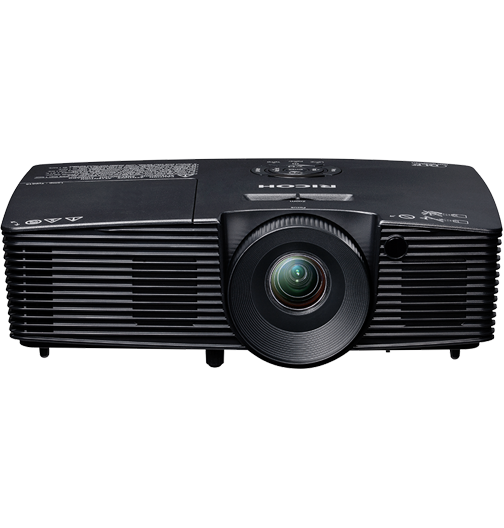
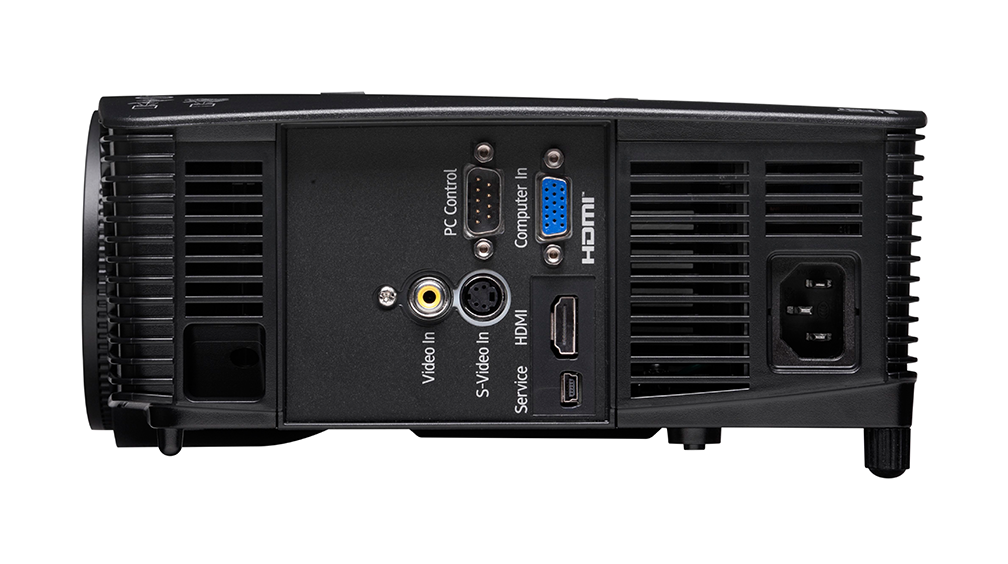
 Ricoh PJ S2240 Portable Projector



Product Details
Specifications
Accessories
Reviews
Product Details
Main Features
- SVGA Resolution (800x600 dpi)
- Brightness rating of 3100 lumens
- Screen size up to 300"
- Digital Light Processing (DLP) projection technology
- High-quality, budget-friendly projection
Specifications
General Specifications
Replacement Lamp - Part Number
512758
Note: Lamps are consumable products and therefore are not covered by the projectors warranty.
3D Glasses - Part Number
Type 1 - 512511
Note: Native support for Frame Sequential 3D format. Other sources may require a converter that is not provided.
Resolution
SVGA - 800 x 600 dpi
Liquid Crystal Panel Size
0.55"
White Light Output Brightness
3,000 lm
Contrast Ratio
WXGA: 2,000:1
XGA/SVGA: 2,200:1
Screen Size
30" - 300"
Projection Distance
39.37" - 393.7"
Lamp Type
High pressure mercury (190W)
Lamp Life
Standard Mode: 4,500 hours
Economy Mode: 6,000 hours
Projection Lens
Zoom Ratio: 1.1
Zoom/Focus: Manual/Manual
Features
Keystone (Direction: Vertical - Manual); AV Mute; Freeze; Re-size (Magnify); Wall Color Mode; Security Bar; Kensington Lock; Eco Mode; 3D Projection Ready; Front/Rear Tilt Foot Adjuster; High Altitude Mode
Dimensions W x D x H
12.4" x 8.8" x 4" (314 x 224 x 102 mm)
Weight
5.75 lbs. (2.6 kg)
Fan Noise
Standard Mode: 34 dB or less
Eco Mode: 31 dB or less
Operating Environment
Storage Temperature: -20° to 60°C
Transportation Temperature: 5°F to 40°F; Humidity: 80%
Power Supply
100/240V; 50 - 60Hz
Power Consumption
While Operating:; Standard Mode: 230W; Eco Mode: 195W; Standby: 0.5W
What's In the Box
Cables: Single RGB Cable, Power Cord, CD ROM: Operating Instructions; Quick Start Guide; Warranty Sheet and Registration (US only) Carrying Case: Included for PJ X2240 and PJ WX2240 only Remote Control: Remote Control (CR2025 x 1 Battery included)
 Download Manufacturer Specifications
Accessories

Reviews




A zoom lens allows you to adjust the image size without moving the projector. Look for a projector with a higher zoom if you wish to be able to present an image that will fit any screen size.
Be careful not to shake, or move your projector intensely, especially when it is on. Projectors are sensitive to these types of movements and may get damaged.
Try to allow your projector time to cool down. When the projector is running, the bulb produces heat which needs time to dissipate so the filament and the rest of the device can stabilize. Moving a projector when the filament is hot can cause damage.
MY ACCOUNT
INFO & POLICIES
SHOP EASY
PAYMENT OPTIONS



* Images are for illustration purposes only.