



 Shopping Cart
 Okidata ES7412 Color Printer
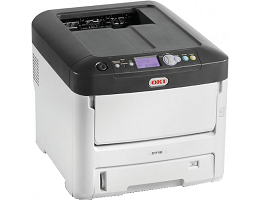


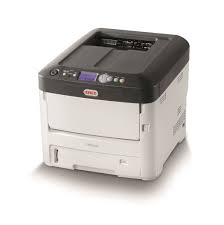

Images are for illustration purposes only and do not necessarily reflect the actual product.
Product Details
Specifications
Accessories
Reviews
Product Details
Main Features
- HD Color LED printing technology
- Print Speed: 35/37 ppm (color/mono)
- Maximum monthly duty cycle: 100,000 pages
- 256MB standard memory (option to expand to 768 MB)
- Maximum paper capacity: 1690 sheets (with options)
- Flexible media capabilities including up to 52" banners and a variety of heavy stock media
- Network printing
- Duplex printing reduces paper usage
- Front facing USB port for direct printing
- Advanced Security features
- Enable Toner Save Mode to reduce costs
- ENERGY STAR® Compliant
Specifications
 Download Manufacturer Specifications
Accessories

Reviews




Paper jam? The best way to remove jammed paper is to gently pull the paper in the direction of the paper path - with power off, of course. Do not pull the paper backwards - you could damage your printer forever by doing so.
Paper coatings are designed to control ink absorption and spread, producing brilliant, sharp images with less ink.
When power is applied, you should hear the print mechanism initialize and most printers have at least one light which will be illuminated when it is on.
MY ACCOUNT
INFO & POLICIES
SHOP EASY
PAYMENT OPTIONS



* Images are for illustration purposes only.