



 Shopping Cart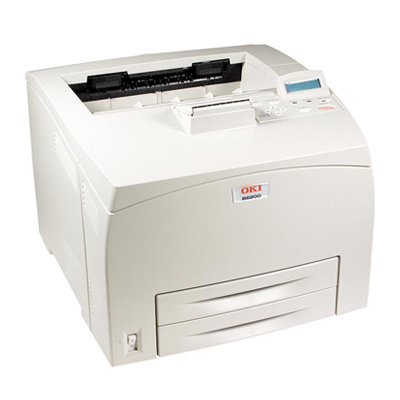



Product Details
Specifications
Accessories
Reviews
Product Details
Main Features
- Feature-rich black & white printing solutions— adaptable to any environment, stand-alone or network
- Up to a rapid 25 ppm for increased productivity
- 10.1-second time to first page
- High-quality output at 1200 x 1200 dpi for crisp clear output
- Powerful 266 MHz Power PC RISC processor
- Rock-solid performance: monthly duty cycle of 75,000 pages
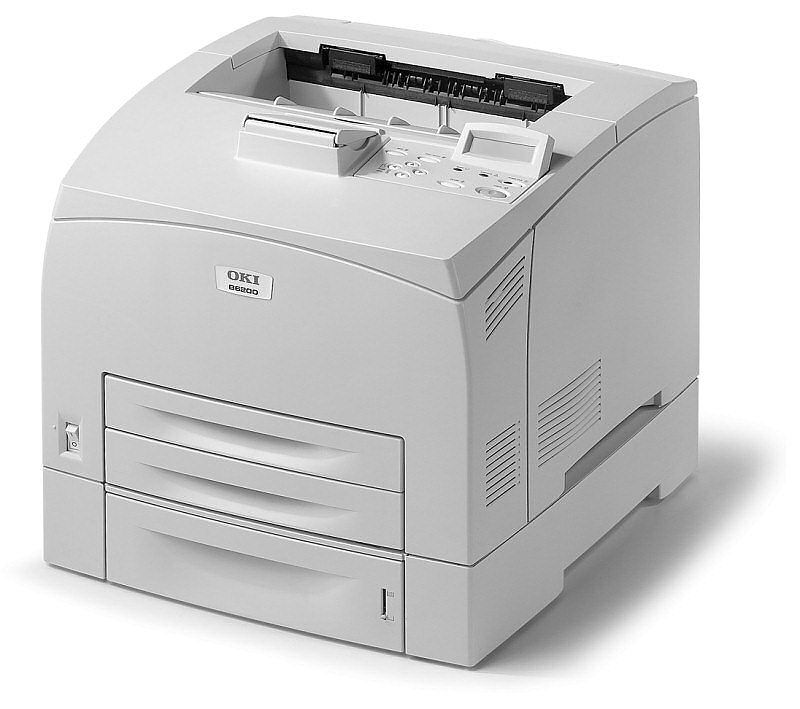
- 400-sheet standard paper input expands to 1,500 sheets with options
- Standard USB 2.0, Parallel and Serial connectivity; optional 10/100 Base-TX Ethernet
- 128 MB standard RAM, upgradable to 640 MB
- Easy-to-read control panel clearly shows the status of printer operation
- Optional Duplex (2-sided printing), 20 GB Hard Disk Drive, Compact Flash, and additional RAM
Specifications
General Specifications
|
Print Speed |
25 ppm |
|
Warm-up Time |
13 seconds |
|
Time to First Page |
Less than 10.1 seconds |
|
Print Resolution |
1200 x 1200 dpi |
|
CPU |
266 MHz Power PC RISC |
|
Duty cycle |
75,000 pages-per-month |
|
Standard RAM Memory |
128 MB |
|
Maximum RAM Memory |
640 MB |
|
Standard Paper Input |
400 sheets Letter/Legal/Universal |
|
Maximum Paper Capacity |
1,500 sheets with options |
|
Paper Size |
3.0" x 5.0" min. to 8.5" x 35.43" |
|
Standard Paper Output |
250 sheets, face-down |
|
Dimensions (WxDxH) |
16.6" x 17.9" x 12.8" |
|
Weight |
Approx. 41 lb.
|
 Download Manufacturer Specifications
Accessories

Reviews


Use a lightly dampened cloth to clean the outside of your laser printer. To clean the inside, use a dry, lint-free cloth to make sure that no liquid enters the inner parts of the printer.
Printer not working? Be sure the paper is installed correctly and there is enough of it.
Most printers have a paper-out detector. On most dot matrix printers it is a photo diode. If form-fed paper is not aligned correctly (usually on the left side) the diode won't see it.
MY ACCOUNT
INFO & POLICIES
SHOP EASY
PAYMENT OPTIONS



