



 Shopping Cart
 Okidata C711WT Digital Color Printer
*Images may show options not included in price.
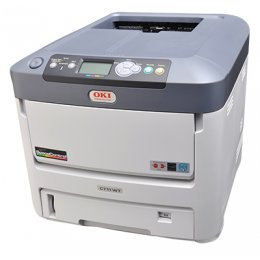

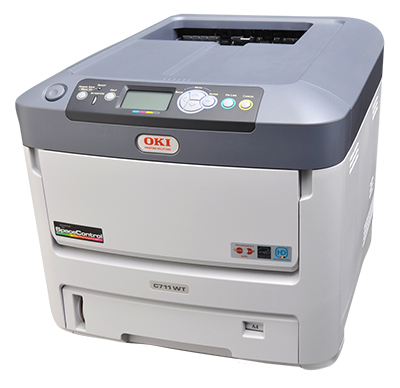
Images are for illustration purposes only and do not necessarily reflect the actual product.
Product Details
Specifications
Accessories
Reviews
Product Details
Main Features
- Textile Transfer Printer
- Prints high-quality solid white graphics and text as well as vibrant color on transfer media
- Color print speeds of up to 8 ppm on transfer media; up to 34 ppm on standard media
- 1200 x 600dpi print resolution for sharp, crisp results
- Prints on paper sizes from 3”x5” to 8.5”x14”
- Network and USB connectivity
Specifications
General Specifications
| Print Speed Mono | 0 |
|---|---|
| Print Speed Color | 34 |
| Duplex | N/A |
| Duty Cycle | 100000 |
| Memory | 256 |
| Resolution | 1200 x 600 |
| Interfaces | 10 Base-T/100 Base-TX Internal Ethernet Print Server/ |
| Paper Capacity | 530 |
| Paper Size | 3"" x 5" to 8.5" x 14" |
| Size | 17.1" x 21.5" x 15.3" (43.5cm x 54.7cm x 38.9cm) |
| Weight | Approx. 60.8 lb (27.6 kg) |
| Power | 120V |
| Footnotes | UP to 8 ppm transfer media / 34 ppm standard media |
 Download Manufacturer Specifications
Accessories

Reviews




Save memory on your PC by choosing the Custom option when you install your printer, and picking just the software you want to install.
Your ink is not going onto the paper properly or you notice uneven coverage? Try aligning the print heads before you bring out the big guns.
Getting blank pages after you installed a new cartridge? Check that the sticker from the cartridge was properly removed. Alternatively, run the clean print head function to make sure all air bubbles are removed. Do not remove the cartridge once it has been installed.
MY ACCOUNT
INFO & POLICIES
SHOP EASY
PAYMENT OPTIONS



* Images are for illustration purposes only.