



 Shopping Cart
 Ricoh Aficio SP C342DN Color Laser Printer
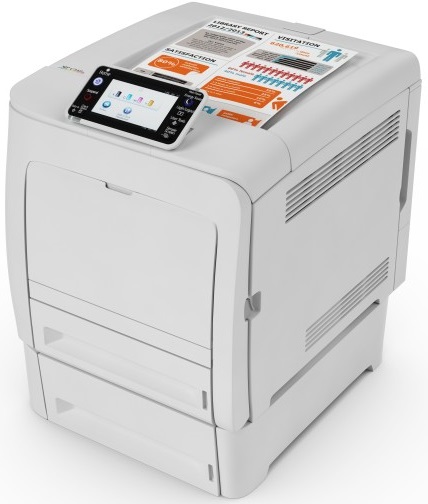


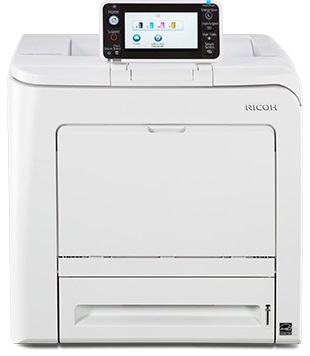
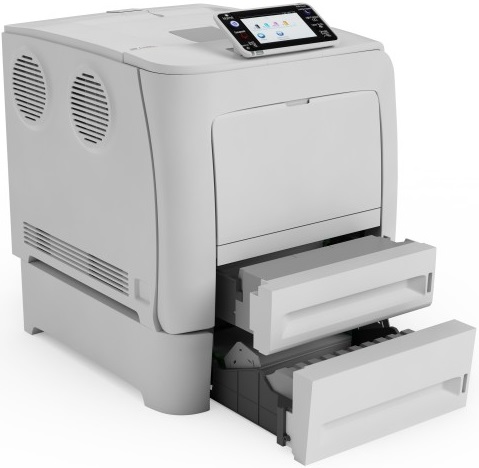

Images are for illustration purposes only and do not necessarily reflect the actual product.
Product Details
Specifications
Accessories
Reviews
Product Details
Main Features
- Colored output
- Print Speed: 25 pages per minute
- Warm Up Time: 20 seconds
- A4 size
- 4.3 inch touch panel
- Print from your mobile device
- Optional Wi-Fi
- Compact design
- Optional USB connectivity
Specifications
General Specifications
| Technology | Laser |
| Warm-up time | 20 seconds |
| First output speed - Full colour | 11 seconds |
| First output speed - B/W | 11 seconds |
| Print speed - Full colour | 25 pages per minute |
| Print speed - B/W | 25 pages per minute |
| CPU - Intel Atom Processor Bay Trail | 1.46 GHz |
| Memory - Standard | 2 GB |
| HDD | 320 GB |
| Duty cycle | 75000 prints per month |
| Duplex | Standard |
| Dimensions (W x D x H) | 400 x 480 x 404 mm |
| Weight | 29 kg |
| Power source | 220 - 240 V, 50/60 Hz |
| Hard Disk Drive | 320 GB |
| Power consumption - Maximum | 1.3 kW |
| Power consumption - Ready mode | 4.1/8.1/9.4 W |
| Power consumption - Sleep mode | 1.2/0.78/2.7 W |
| Power consumption - TEC (Typical Electricity Consumption) | N/A |
| Recommended paper size - Standard paper tray(s) | A4, A5, B5, Legal, Letter, Executive, F/GL, Foolscap, Folio |
| Recommended paper size - Bypass tray | A4, A5, A6, B5, B6, Legal, Letter, Half Letter, Executive, F/GL, Foolscap, Folio |
| Paper input capacity - Standard | 500 sheets |
| Paper input capacity - Maximum | 1100 sheets |
| Paper input capacity | Bypass tray |
| Paper output capacity - Maximum | 150 sheets |
| Paper weight - Paper tray(s) | 60 - 163 g/m² |
| Paper weight - Bypass tray | 60 - 220 g/m² |
| Media capability | Plain paper, Middle thick paper, Thick paper, Recycled paper, Colour paper, Letterhead, Pre-printed paper, Thin paper, Coated paper (glossy), Coated paper (matted), Special paper, Label paper, Envelopes, Bond, Cardstock, Coated paper (glossy: thick), Coated paper (matted: thick) |
| Printer language - Standard | PCL5c, PCL6, Adobe® PostScript® 3™, PDF Direct from Adobe® , Mediaprint (JPEG/TIFF) |
| Printer language - Option | XPS, PictBridge |
| Print resolution | 600 x 600 dpi, 1,200 x 1,200 dpi |
| Fonts - PCL | 45 fonts, International fonts: 13 Intellifonts |
| Fonts - PS3 | 136 fonts |
| Interface - Standard | USB 2.0, SD slot, USB Host I/F, Ethernet 10 base-T/100 base-TX/1000 base-T |
| Interface - Option | Bi-directional IEEE 1284, Wireless LAN (IEEE 802.11a/b/g/n), USB Server for Second Network Interface |
| Network protocol - TCP/IP | IP v6 |
| Windows® environments | Windows® Vista, Windows® 7, Windows® 8, Windows® 8.1, Windows® 10, Windows® Server 2008, Windows® Server 2008R2, Windows® Server 2012, Windows® Server 2012R2 |
| Mac OS environments | Macintosh 8.6 or later (OS X Classic), Macintosh OS X Native v10.7 or later |
| UNIX environments - UNIX Sun® Solaris | 9, 10 |
| UNIX environments - HP-UX | 11.x, 11i v2, 11i v3 |
| UNIX environments - SCO OpenServer | 5.0.7, 6.0 |
| UNIX environments - RedHat® Linux Enterprise | 4, 5, 6 |
| UNIX environments - IBM® AIX | 5L v5.3, 5L v6.1, 5L v7.1 |
| SAP® R/3® environments - SAP® R/3® | SAP® R/3 3.x® or later |
| Other supported environments | NDPS Gateway, AS/400® using OS/400 Host Print Transform, IBM iSeries, CUPS support, Custom Device Type (SAP/R3), Device Option Utility (Citrix), HPT support |
| Authentication | Windows® authentication, LDAP authentication, Basic authentication, User code authentication, 802.1.x wired authentication |
| Network security | SSL support, SNMPv3 support |
 Download Manufacturer Specifications
Accessories

Reviews


Save memory on your PC by choosing the Custom option when you install your printer, and picking just the software you want to install.
Most printers will beep once or twice during or after initialization. If it beeps more than that or beeps constantly, it is telling you that something is wrong. Most printers beep when out of paper or out of ink.
What is RAM? RAM or Buffer Memory holds the graphic information on the printer while the file is on its way to be printed. The larger the RAM, the faster the printer can print complex graphics.
MY ACCOUNT
INFO & POLICIES
SHOP EASY
PAYMENT OPTIONS



* Images are for illustration purposes only.