



 Shopping Cart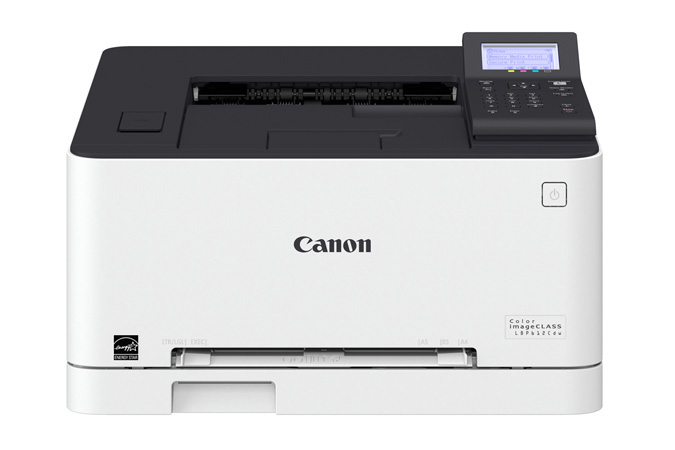



Product Details
Specifications
Accessories
Reviews
Product Details
Main Features
- Single function, color laser printer
- Print speed of 19 ppm
- Duplex printing
- Direct USB print
- Mobile print capabilities
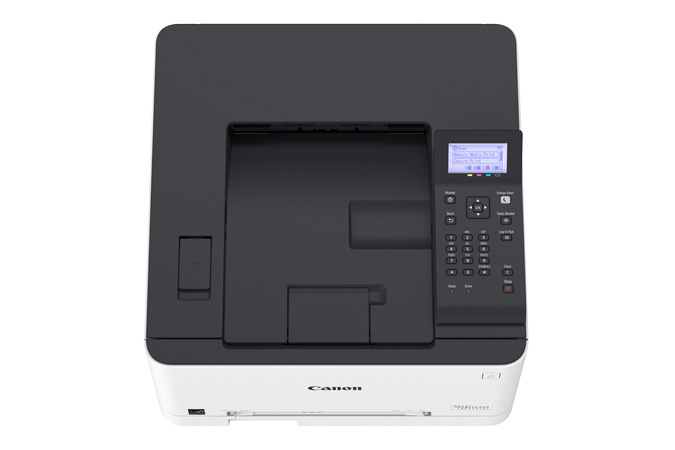
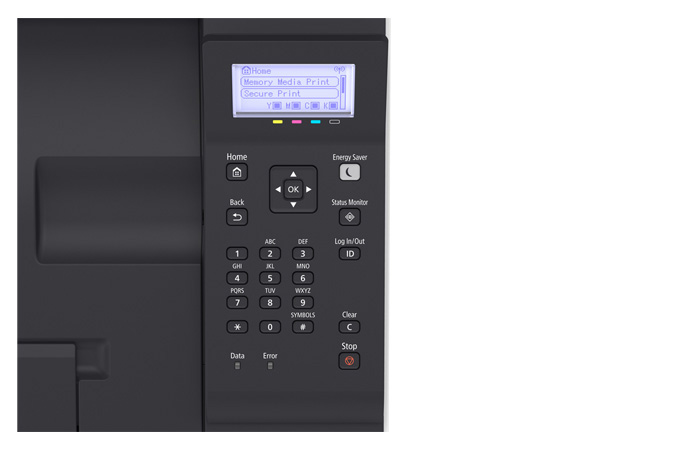
- User-friendly, 5-line, LCD Panel
- Low energy consumption
Specifications
General Specifications
|
Functions |
|
|
Print Speeds |
Up to 19 ppm* (1-sided, plain paper letter) Up to 11 ppm* (2-sided, plain paper letter) |
|
Connectivity |
USB 2.0 High-Speed, 10/100/1000Base-T Ethernet (Network), 802.11 b/g/n Wireless |
|
Standard Cassette |
Up to 150-Sheets (3" x 5" to 8.5" x 14") |
|
Multipurpose Tray |
One-sheet Manual Feed Slot (3" x 5" to 8.5" x 14") |
|
Output Tray |
100 Sheets (face down) |
|
Duplex |
Yes |
|
Duty Cycle |
Up to 30,000 pages per month |
|
First Print Time |
Color/Black: 11.9/10.7 Seconds |
|
Print Resolution |
Up to 600 x 600 dpi; 1200 x 1200 dpi Quality |
|
Print Memory |
1 GB |
|
Mobile Print |
Canon PRINT Business, Apple AirPrint, Mopria Print Service, Google Cloud Print |
|
Dimensions (W x D x H) |
17" x 16.5" x 10.8" |
|
Weight |
Approx. 29.7 lb. |
|
Energy Star |
Yes |
 Download Manufacturer Specifications
Accessories

Reviews


Set your printer to maximum dpi setting to obtain the best image quality.
If your print settings are too dark, it could be detrimental to the life of the cartridge in the long run. It’s important that the density control of the machine be properly set to prevent the machine from pulling too much toner into itself.
Paper jam? The best way to remove jammed paper is to gently pull the paper in the direction of the paper path - with power off, of course. Do not pull the paper backwards - you could damage your printer forever by doing so.
MY ACCOUNT
INFO & POLICIES
SHOP EASY
PAYMENT OPTIONS



