



 Shopping Cart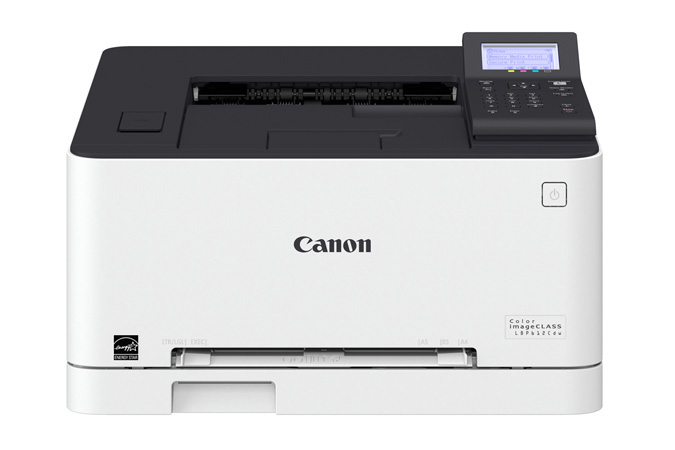



Product Details
Specifications
Accessories
Reviews
Product Details
Main Features
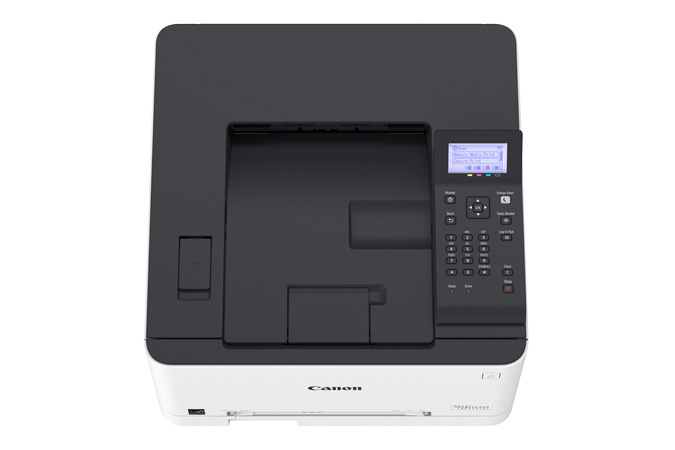
- Single function, color laser printer
- Print speed of 19 ppm
- Duplex printing
- Direct USB print
- Mobile print capabilities
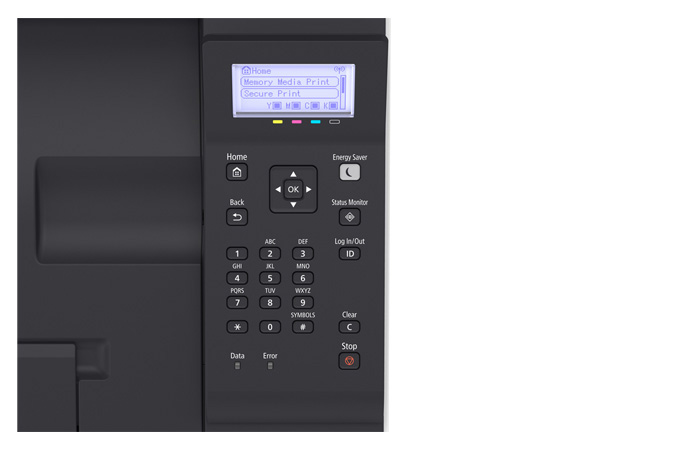
- User-friendly, 5-line, LCD Panel
- Low energy consumption
Specifications
General Specifications
|
Functions |
|
|
Print Speeds |
Up to 19 ppm* (1-sided, plain paper letter) Up to 11 ppm* (2-sided, plain paper letter) |
|
Connectivity |
USB 2.0 High-Speed, 10/100/1000Base-T Ethernet (Network), 802.11 b/g/n Wireless |
|
Standard Cassette |
Up to 150-Sheets (3" x 5" to 8.5" x 14") |
|
Multipurpose Tray |
One-sheet Manual Feed Slot (3" x 5" to 8.5" x 14") |
|
Output Tray |
100 Sheets (face down) |
|
Duplex |
Yes |
|
Duty Cycle |
Up to 30,000 pages per month |
|
First Print Time |
Color/Black: 11.9/10.7 Seconds |
|
Print Resolution |
Up to 600 x 600 dpi; 1200 x 1200 dpi Quality |
|
Print Memory |
1 GB |
|
Mobile Print |
Canon PRINT Business, Apple AirPrint, Mopria Print Service, Google Cloud Print |
|
Dimensions (W x D x H) |
17" x 16.5" x 10.8" |
|
Weight |
Approx. 29.7 lb. |
|
Energy Star |
Yes |
 Download Manufacturer Specifications
Accessories

Reviews


Pages per minute (ppm) is the average print speed for black and white pages only. Actual speed may be different based on the amount of graphics on each page.
After installing a printer, go to the Windows dialog box and check the settings, so you won't be surprised by what happens the first time you print.
Store your laser printer in a properly ventilated area where temperature and humidity do not change frequently. Avoid areas with heavy dust buildup.
MY ACCOUNT
INFO & POLICIES
SHOP EASY
PAYMENT OPTIONS



