



 Shopping Cart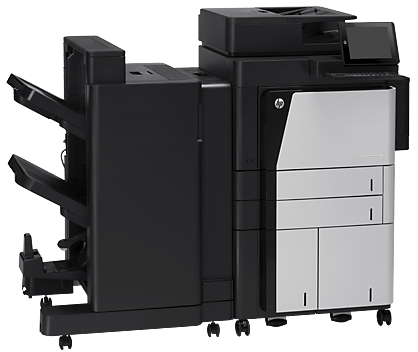




*** ALL TONERS AND SUPPLIES ARE IN STOCK AT DISCOUNTED PRICING , CALL +18882983095.
All reconditioned printers do not include supplies - toners , drums (Imaging Units) (where applicable) , printer cables , manuals , consumables, trays (where applicable). Power cables are included. Drivers can be downloaded from the manufacturers website. Please verify that drivers available are compatible with your software on the manufacturers site.
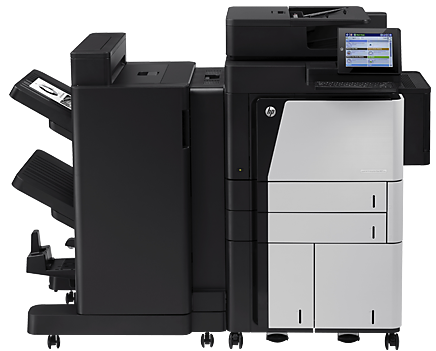
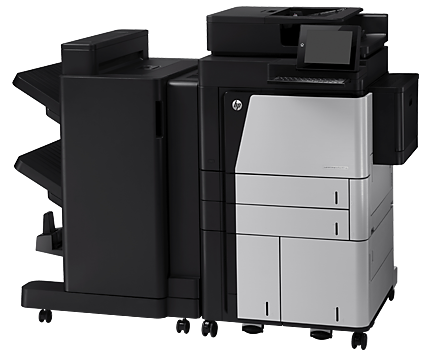
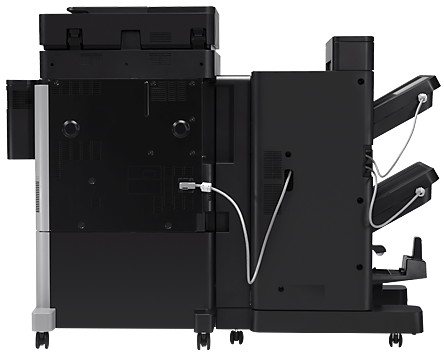
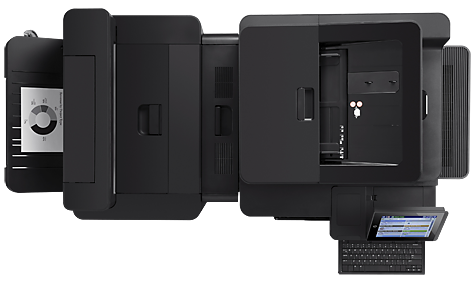
Images are for illustration purposes only and do not necessarily reflect the actual product.Product Details
Specifications
Accessories
Reviews
Product Details
Main Features
- Function: Copy. print, scan and fax
- Black and white output
- Print Speed: 56 pages per minute
- Network enabled
- Paper Trays: Two 500-sheet input trays, a 100-sheet multi-purpose tray and a 3500-sheet high-capacity tray
Specifications
General Specifications
| Type of Printer | All-in-One |
| Wireless Ready | Wireless |
| Printer Connectivity | USB, Wireless, Network Ready |
| Photo Capable | Not Photo |
| Duplex Printing | Manual |
| B&W PPM | 41 PPM & up |
| Print Speed (ppm) | 55 ppm |
| Print Resolution (dpi) | 1200 x 1200 dpi |
| Printer Scanner Type | Flatbed, ADF |
| Copy Speed (cpm) | 55 cpm |
| Printer Fax Speed | 3 sec per page; 33.6 kbps |
| (ADF)- Auto Document Feeder | 200 sheets |
| Paper Input Capacity | Two 500-sheet input trays, 100-sheet multi-purpose tray, 3500-sheet High-capacity tray |
| Number of Paper Trays | 3 |
| First Page Out (seconds) | As fast as 9.5 seconds |
| Printer Display (type/size) | 8.0-in (20.3 cm), SVGA LCD (color graphics) |
| Mobile Printing Apps | HP ePrint, Apple AirPrint |
| Printer Processor | 800 MHz |
| Width (in.) | 65 |
| Weight (lbs.) | 449.7 |
| Print Technology | Laser |
| Printer Condition | New |
| Mobile Capability | Yes |
| Number of Users | 15+ Users |
| Output Type | Black & White |
| Supertank | Not Supertank |
| Printer Connectivity Details | Hi-Speed USB Wireless LAN (IEEE 802.11b/g/n) Ethernet |
| Printer Monthly Duty Cycle | 300,000 pages |
| Scan Resolution (maximum) | 600 dpi |
| Copy Reduction/Enlargement | 25 to 400% |
| Fax Memory (MB, pages) | up to 500 pages |
| Printer Memory | 1.5GB |
| Printer Output Capacity | 3000 sheets output |
| Media Types Supported | Paper (bond, color, letterhead, plain, preprinted, prepunched, recycled, rough), labels, cardstock, transparencies |
| Printer System Requirements | Windows 8, Windows 7, Windows Vista, Windows XP (SP2 or higher), Windows Server 2012 (64-bit), Windows Server 2008 R2 (64-bit), Windows Server 2008, Windows Server 2003 (SP1 or higher); Mac OS X v 10.6, OS X 10.7 Lion, OS X 10.8 Mountain Lion |
| Network Ready (Yes or No) | Yes |
| Maximum Paper Size | 11 x 17" |
| Supported Paper Sizes | Paper (bond, color, letterhead, plain, preprinted, prepunched, recycled, rough), labels, cardstock, transparencies |
| Height (in.) | 43.3 |
| Depth (in.) | 28.1 |
Accessories

Reviews




Fed up of re-sorting your printouts? For those inkjets that don't have a reverse print feature in the driver, some programs offer printing in reverse order.
Set your printer for the proper paper type and weight. Fine art papers are heavier than ordinary inkjet or bond papers so set the printer to thicker paper settings.
Be sure that you are printing on the 'right' side of the paper - that is - the coated side.
MY ACCOUNT
INFO & POLICIES
SHOP EASY
PAYMENT OPTIONS



