



 Shopping Cart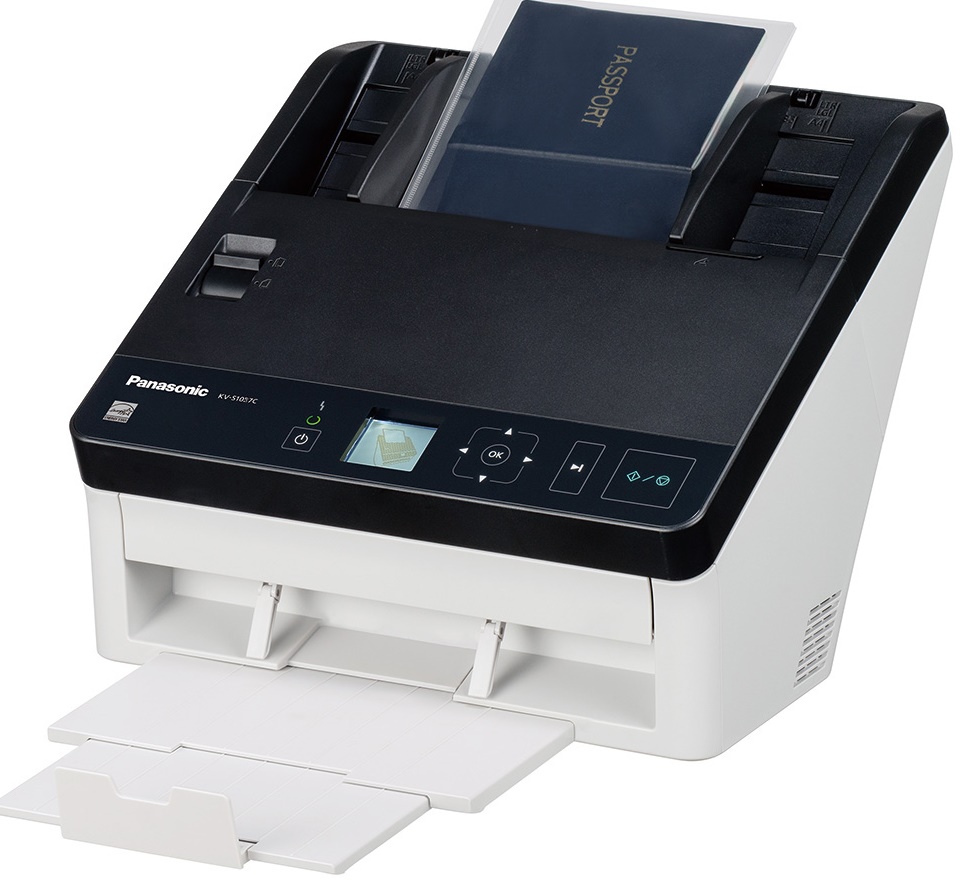



*** ALL TONERS AND SUPPLIES ARE IN STOCK AT DISCOUNTED PRICING , CALL +18882983095..
Printers do not include supplies - toners , drums (Imaging Units) (where applicable) , printer cables , manuals , consumables , trays (where applicable). Power cables are included. Drivers can be downloaded at www.hp.com. Please verify that drivers available are compatible with your software on HP’s site.
Product Details
Specifications
Accessories
Reviews
Product Details
Main Features
- Color scans
- Scans variety of media types
- Scanning Speed: 65 ppm
- 100 sheet automatic document feeder
- ADF minimum: 1.9 x 2.1 inches
- ADF maximum: 6: 8.5 x Unlimited inches
- With 3 year neat scan
Specifications
Accessories

Reviews



If you are scanning an image for your website, scan at 75-100 dpi. This will give you good quality, but small file size.
Choosing a scanner with a fast preview speed will quicken the whole scanning process.
If your scanner doesn't provide a good quality dust removal feature, removing the dust from your photos with canned air before scanning will take less time than manually removing dust marks with a photo editing program afterwards.
MY ACCOUNT
INFO & POLICIES
SHOP EASY
PAYMENT OPTIONS



