



 Shopping Cart
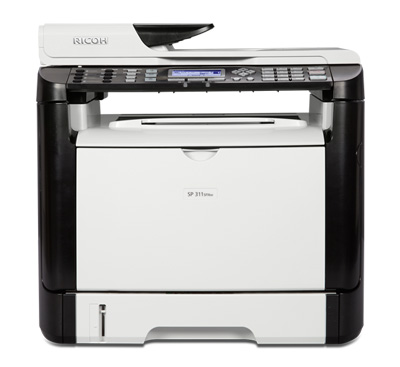
 Ricoh Aficio SP 311SFNW B&W Laser Multifunction Printer

Product Details
Specifications
Accessories
Reviews
Product Details
Main Features
- Standard hardwired USB 2.0 High Speed & 10/100Base-TX Ethernet interfaces
- Standard IEEE 802.11 b/g/n Wireless LAN (Infrastructure & Ad Hoc modes)
- 600 x 600 dpi & 1200 x 600 dpi printing at 30-ppm
- PCL 6 + 80 PCL fonts
- USB & Network TWAIN/WIA Scanning at 1200 x 1200 optical dpi.
- Scan-to-Email/ Folder/FTP at 600 x 600 dpi
- 100-destination Address Book
- 35-sheet ADF
- ID Card Copy
- Super G3 33.6 Kbps modem
- Super G3 Fax plus LAN Fax & Internet Fax.
- 8 Quick Dial keys
- 100-page Fax memory
- LAN Fax (TX only) with 1,000-entry Address Book
- Telephone Answering Device hookup
- Broadcasting up to 100 locations
Specifications
 Download Manufacturer Specifications
Accessories

Reviews


Pages per minute (ppm) is the average print speed for black and white pages only. Actual speed may be different based on the amount of graphics on each page.
If debris is the primary cause of failures, toner is the primary cause of debris. All toner cartridges release a small amount of toner powder into the machine. This is why it's important to clean the machine when you change the cartridge.
If you are not getting the results you expect, don't give up on your printer until you manually set the driver for the paper that you are using.
MY ACCOUNT
INFO & POLICIES
SHOP EASY
PAYMENT OPTIONS



* Images are for illustration purposes only.