



 Shopping Cart
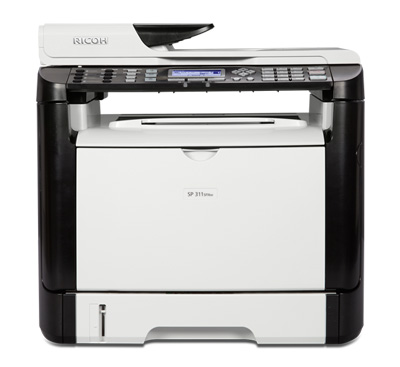
 Ricoh Aficio SP 311SFNW B&W Laser Multifunction Printer

Product Details
Specifications
Accessories
Reviews
Product Details
Main Features
- Standard hardwired USB 2.0 High Speed & 10/100Base-TX Ethernet interfaces
- Standard IEEE 802.11 b/g/n Wireless LAN (Infrastructure & Ad Hoc modes)
- 600 x 600 dpi & 1200 x 600 dpi printing at 30-ppm
- PCL 6 + 80 PCL fonts
- USB & Network TWAIN/WIA Scanning at 1200 x 1200 optical dpi.
- Scan-to-Email/ Folder/FTP at 600 x 600 dpi
- 100-destination Address Book
- 35-sheet ADF
- ID Card Copy
- Super G3 33.6 Kbps modem
- Super G3 Fax plus LAN Fax & Internet Fax.
- 8 Quick Dial keys
- 100-page Fax memory
- LAN Fax (TX only) with 1,000-entry Address Book
- Telephone Answering Device hookup
- Broadcasting up to 100 locations
Specifications
 Download Manufacturer Specifications
Accessories

Reviews


If your print settings are too dark, it could be detrimental to the life of the cartridge in the long run. It’s important that the density control of the machine be properly set to prevent the machine from pulling too much toner into itself.
Are you getting diminished color and print quality? If all your images start to look a bit purple, blue or orange, one of your ink wells may be running low. Replace the whole printer ink cartridge, unless you can refill the individual ink wells.
Preview and proofread your documents on the screen before sending them to print. This will save you a lot of paper and re-printing.
MY ACCOUNT
INFO & POLICIES
SHOP EASY
PAYMENT OPTIONS



* Images are for illustration purposes only.