



 Shopping Cart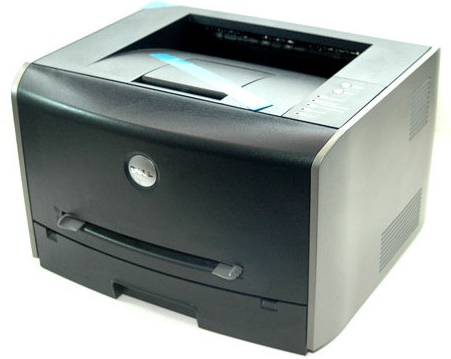

*** ALL TONERS AND SUPPLIES ARE IN STOCK AT DISCOUNTED PRICING , CALL +18882983095..
Printers do not include supplies - toners , drums (Imaging Units) (where applicable) , printer cables , manuals , consumables , trays (where applicable). Power cables are included. Drivers can be downloaded at www.hp.com. Please verify that drivers available are compatible with your software on HP’s site.
Product Details
Specifications
Accessories
Reviews
Product Details
Main Features
- Speed: 11 pages per minute
- Sheet Capacity: 250
- Input Trays: 2
- Resolution: 1200 x 1200 dpi
- Memory: 16 MB
Specifications
General Specifications
| Requirements | |
|---|---|
| Operating System Compatibility |
|
|
Ports and Connections | |
| PictBridge | No |
| Parallel Port | 1 |
| USB 2.0 | Yes |
| Serial Port | No |
| USB 1.1 | Yes |
|
Memory | |
| Memory size | 16.0 MB |
| Memory max | 0.144 GB |
|
Power | |
| Maximum Power Draw (watts) | 600.0 watts |
| Standby Power Draw (watts) | 20.0 watts |
|
Dimensions | |
| Width | 15.5 inches |
| Depth | 13.9 inches |
| Height | 9.8 inches |
| Weight | 27.0 pounds |
|
Media Handling | |
| Standard Number of Input Trays | 1.0 |
| Standard Input Sheet Capacity | 250 |
| Manual Feed Slot | 1.0 |
| Automatic Duplexer | Not Available |
| Max Input Trays | 2.0 |
| Maximum Paper Height | 14.0 |
|
Resolutions | |
| Monochrome horizontal optical resolution | 1200 x 1200 dpi |
|
Platform Support | |
| Printer languages supported | PCL 6 |
 Download Manufacturer Specifications
Accessories

Reviews


Set your printer to maximum dpi setting to obtain the best image quality.
Using heavy or stiff paper? Feed the paper one sheet at a time or try placing a sheet of plain copier or bond paper behind a heavy sheet.
Flashing light on your printer? Each printer has a different reason for a blinking or orange light but in general it is due to a paper jam, an empty paper tray, a printer cartridge problem or a problem with the printer hardware.
MY ACCOUNT
INFO & POLICIES
SHOP EASY
PAYMENT OPTIONS



