



 Shopping Cart
 Konica Minolta Bizhub 25 Copier Printer Scanner
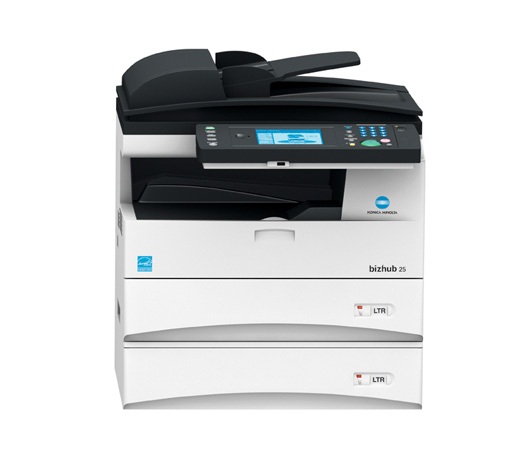


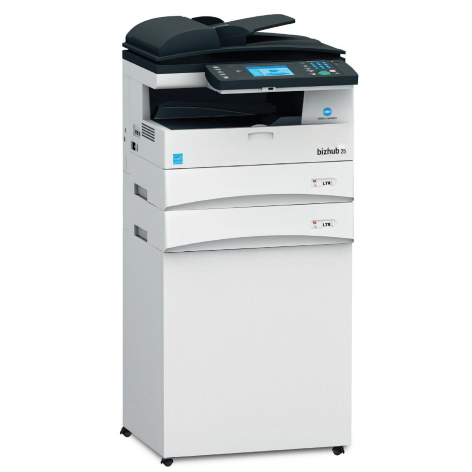

Images are for illustration purposes only and do not necessarily reflect the actual product.
Product Details
Specifications
Accessories
Reviews
Product Details
Overview
- 5 ppm in high-resolution B&W
- 50,000 page monthly volume
- Fast color scanning
- Built-in Super G3 fax
Main Features
- 25 ppm print/copy output in B&W to speed your output on the black and white multifunction printer
- Fast color scanning to multiple destinations for easy file sharing and distribution
- Built-in PCL5e/PCL6 printing for Windows environments
- Optional PostScript 3, PDF direct print and barcode printing for added versatility
- Built-in Super G3 fax, 4,200-page fax memory
- 1,050-sheet maximum paper capacity on the black and white multifunction printer for long-running output with less reloading
- Direct printing from and scanning to USB thumb drives
Professional installation available - please call for pricing
Specifications
General Specifications
| Maximum Copies | 99 copies | |||
| Copy Resolution | 600 dpi x 600 dpi | |||
|
Warm Up Time
|
20 seconds | |||
| Copying Features |
|
|||
| Zoom Min | 25 % | |||
| Zoom Max | 400 % |
PAPER HANDLING
| Media Types | Plain Paper |
| Minimum Paper Weight | 20 lbs |
| Maximum Paper Weight | 28 lbs |
| Paper Tray Capacity | 500 sheets |
| Paper Cassette Capacity | 500 sheets |
| Maximum Output Capacity | 250 sheets |
FAX
| Max Transmission Speed | 33.6 Kbps | |||
| Speed Dial Memory | 2,000 numbers | |||
| Sequential Broadcasting | 200 Destinations | |||
| Receive Modes | FAX Only | |||
| Fax Features |
|
GENERAL INFORMATION
| Functionality |
|
||||
| Standard Interfaces |
|
||||
| Memory | 128 MB | ||||
| Security Features |
|
PRINTER
| Print Resolution | 600 dpi x 600 dpi |
| Page Description | PCL |
POWER AND DIMENSIONS
| Maximum Power Consumption | 1010 watts |
| Dimensions | 17.6" x 20.5" x 19.9" |
| Weight | 52.7 lbs |
SCANNER
| Color Depth | 24-bit | ||||
| Scan Resolution | 600 dpi x 600 dpi | ||||
| File Formats |
|
||||
| Scanner Features |
|
 Download Manufacturer Specifications
Accessories

Reviews


Pages per minute (ppm) is the average print speed for black and white pages only. Actual speed may be different based on the amount of graphics on each page.
Allow ink to dry completely to avoid smudging. The time will vary based on the ink and paper quality used as well as the temperature and humidity conditions.
Handle inkjet papers like photographic papers - hold them by the edges to avoid oil deposits and fingerprints.
MY ACCOUNT
INFO & POLICIES
SHOP EASY
PAYMENT OPTIONS



* Images are for illustration purposes only.