



 Shopping Cart
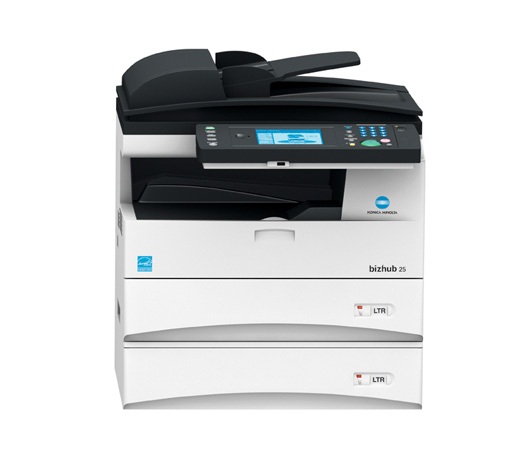
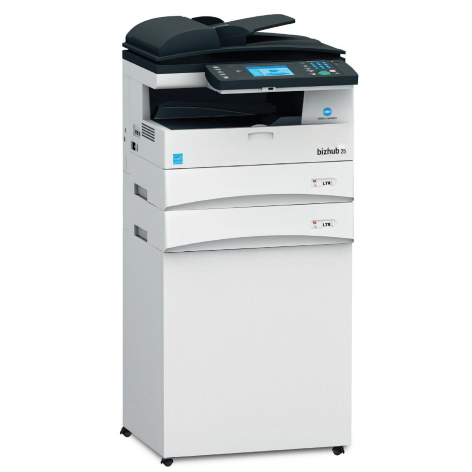
 Konica Minolta Bizhub 25 Copier Printer Scanner



Product Details
Specifications
Accessories
Reviews
Product Details
Overview
- 5 ppm in high-resolution B&W
- 50,000 page monthly volume
- Fast color scanning
- Built-in Super G3 fax
Main Features
- 25 ppm print/copy output in B&W to speed your output on the black and white multifunction printer
- Fast color scanning to multiple destinations for easy file sharing and distribution
- Built-in PCL5e/PCL6 printing for Windows environments
- Optional PostScript 3, PDF direct print and barcode printing for added versatility
- Built-in Super G3 fax, 4,200-page fax memory
- 1,050-sheet maximum paper capacity on the black and white multifunction printer for long-running output with less reloading
- Direct printing from and scanning to USB thumb drives
Professional installation available - please call for pricing
Specifications
General Specifications
| Maximum Copies | 99 copies | |||
| Copy Resolution | 600 dpi x 600 dpi | |||
|
Warm Up Time
|
20 seconds | |||
| Copying Features |
|
|||
| Zoom Min | 25 % | |||
| Zoom Max | 400 % |
PAPER HANDLING
| Media Types | Plain Paper |
| Minimum Paper Weight | 20 lbs |
| Maximum Paper Weight | 28 lbs |
| Paper Tray Capacity | 500 sheets |
| Paper Cassette Capacity | 500 sheets |
| Maximum Output Capacity | 250 sheets |
FAX
| Max Transmission Speed | 33.6 Kbps | |||
| Speed Dial Memory | 2,000 numbers | |||
| Sequential Broadcasting | 200 Destinations | |||
| Receive Modes | FAX Only | |||
| Fax Features |
|
GENERAL INFORMATION
| Functionality |
|
||||
| Standard Interfaces |
|
||||
| Memory | 128 MB | ||||
| Security Features |
|
PRINTER
| Print Resolution | 600 dpi x 600 dpi |
| Page Description | PCL |
POWER AND DIMENSIONS
| Maximum Power Consumption | 1010 watts |
| Dimensions | 17.6" x 20.5" x 19.9" |
| Weight | 52.7 lbs |
SCANNER
| Color Depth | 24-bit | ||||
| Scan Resolution | 600 dpi x 600 dpi | ||||
| File Formats |
|
||||
| Scanner Features |
|
 Download Manufacturer Specifications
Accessories

Reviews


Use a lightly dampened cloth to clean the outside of your laser printer. To clean the inside, use a dry, lint-free cloth to make sure that no liquid enters the inner parts of the printer.
Tight on office space? Consider buying a machine with networking capabilities which will allow multiple users to use one printer.
Don't move a print head unless the instructions direct it. You can damage the belt or other parts.
MY ACCOUNT
INFO & POLICIES
SHOP EASY
PAYMENT OPTIONS



* Images are for illustration purposes only.