



 Shopping Cart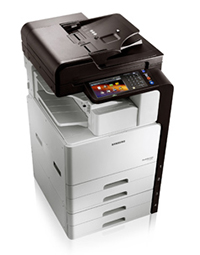

*** ALL TONERS AND SUPPLIES ARE IN STOCK AT DISCOUNTED PRICING , CALL +18882983095..
Printers do not include supplies - toners , drums (Imaging Units) (where applicable) , printer cables , manuals , consumables , trays (where applicable). Power cables are included. Drivers can be downloaded at www.hp.com. Please verify that drivers available are compatible with your software on HP’s site.
Product Details
Specifications
Accessories
Reviews
Product Details
Overview
In today's fast paced environment, you expect your Multifunction Copier to achieve optimum results. The new Samsung CLX-8128NA MultiXpress B/W Laser MFP helps provide a quicker and more streamlined workflow. Also, it delivers speed and produces quality in abundance.
Main Features
Printing
- Print Speed (Black):Up to 28 ppm in Letter, Up to 14 ppm in 11 x 17
- First Print Out Time (Black): 8 sec
- Emulation: PCL5C, PCL6 (XL), PostScript Level3, PDF 1.7+, XPS
- Duplex Printing: Automatic
Paper Handling
- Paper Input Capacity (Standard): 150 sheets
- Paper Input Capacity (Multi-purpose/bypass): Plain Paper: 100 sheets @ 80 gsm, Envelopes: 10 sheets @ 75 gsm, Labels: 20 sheets @ 120 – 159 gsm, Thick Paper: 10 sheets @ 176 gsm
- Media Sizes: 98 x 148 mm ~297 x 432 mm (3.87 x 5.8” – 11.7 x 17”)
- Media Type: Printer Default, Plain, Thick, Thin, Bond, Color, Card Stock, Labels, Envelope, Preprinted, Letterhead, Recycled, Cotton, Archive, Glossy
Scan
- Method: Color CCDM-MMT
- Compatibility: TWAIN (N/W)
- Resolution (Optical): 600 x 600 ppi
- Resolution (Enhanced): 4,800 x 4,800 ppi
- Scan To: HDD, USB, Email, Client (NetScan), SMB, FTP
Fax
- Modem Speed (kbps): 33.6 Kbps
- Compatibility: ITU-T G3, Super G3
- Quick Dial Keys: Speed Dial, Group Dial, Multi-Send
Display
- 7" 800 x 480 WVGA TFT Color Graphic LCD with Touch-Screen, 24-bit color
General
- Processor: Chorus4N Dual Core 1GHz
- Memory: 768MB DDR3 SDRAM (512MB for System + 256MB for GUI)
- Interface: Host: High-Speed USB 2.0 Host (2-port)
- Device: High-Speed USB 2.0 Peripheral (1-port)
- Wired LAN
Specifications
Accessories

Reviews


Use the zoom feature to enlarge or reduce copies for when you need part of a document or want to change the size of the document.
Using good quality paper, which is not damp, crumpled or bent, will prevent jams in your printer or copier.
Look at the cost of consumables for your copier before you buy - this will give you an idea of how much it will cost you to run your copier in the future.
MY ACCOUNT
INFO & POLICIES
SHOP EASY
PAYMENT OPTIONS



