



 Shopping Cart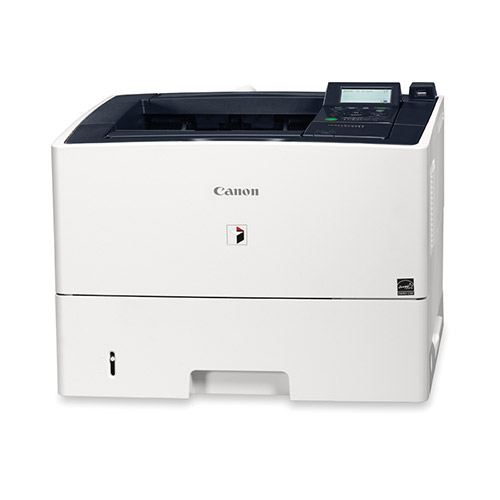

Product Details
Specifications
Accessories
Reviews
Product Details
Powerful Processing Engine:
The Canon LBP Series is powered by a system architecture that is similar to the current imageRUNNER line, and provides unparalleled speed, power and functionality. Fast processing of large and complex documents is further enhanced through expandable onboard memory.
Superb Image Quality:
The Imagerunner LBP Series produces output of unparalleled quality, regardless of the document. Users can print remarkably sharp and impactful presentations, architectural renderings, engineering diagrams or general office documents at high speed. The Canon LBP3580 model delivers crisp output at up to 1200 x 1200 dpi.
New User Interface:
Users will love the clarity of the 5-line LCD display and intuitive control panel of the Imagerunner LBP3580 Printer. The distinctive panel features on-screen navigation to facilitate device setup, animations to help guide operations, at-a-glance consumable levels, and the status of current print jobs.
USB Direct Print:
All devices feature two standard USB 2.0 interfaces, one in the front and one in the back of the device for connection to USB memory media for direct print of PDF, JPEG, TIFF, and XPS files. USB card readers (MiCard Reader only) are also supported.
Specifications
|
Model Name |
imageRUNNER LBP3580 |
|
Type |
Desktop Laser Printer |
|
Developing System |
Contact Developing System |
|
Image Server Memory |
Standard/Maximum: 768MB RAM |
|
Network Interface Connection |
Shared 10/100/1000Base-T (RJ-45) |
|
Other Interface |
USB Hi-Speed (Device) x1 USB Hi-Speed (Host) x2 |
|
|
|
|
Printing Resolution |
UFR II, PCL 5e/6, PostScript 3: 600 x 600 dpi, 1200 x 1200 dpi Equivalent, 2400 Equivalent x 600 dpi |
|
Halftone |
256 Gradations (Continuous-Tone) |
|
Letter |
(BW): Up to 42 ppm |
|
First Copy Time |
8.5 Seconds |
|
Maximum Original Size |
Legal (8-1/2" x 14") |
|
Standard Paper Capacity |
500-sheet Paper Cassette (20 lb. Bond) 100-sheet Multi-Purpose Tray |
|
Optional |
500-sheet Paper Cassette (Up to 2) |
|
Maximum Paper Capacity |
1,600 Sheets |
|
Output Paper Capacity |
Face-down |
|
Output Sizes |
|
|
Cassette |
Legal, Letter, Executive, Custom Sizes (Width: 4-1/8" to 8-1/2"; Length: 5-7/8" to 14") |
|
Bypass |
Legal, Letter, Executive, Index Card, Custom Sizes (Width: 3" to 8-1/2"; Length: 5" to 14") and Envelopes |
|
Acceptable Paper Weights |
|
|
Cassette |
16 lb. Bond to 32 lb. Bond (60 - 120g/m2) |
|
Bypass |
16 lb. Bond to 53 lb. Bond (60 - 199g/m2) |
|
Duplexing |
|
|
Duplexing |
Standard Automatic Trayless Duplexing (Legal, Letter) |
|
|
|
|
Warm Up Time |
28 Seconds or Less |
|
Power Requirements |
120-127V, 60Hz |
|
Power Consumption |
(Approx., Average): Operating: 700W |
|
Plug |
NEMA 5-15P |
|
Dimension |
13-5/8" x 17-7/8" x 16-3/4" (345mm x 454mm x 424mm) |
|
Installation Space |
17-7/8" x 28-1/4" (454mm x 622mm) (when Multi-Purpose Tray is extended) |
|
Weight |
Approx. 36.6 lb. (16.6kg)*
|
 Download Manufacturer Specifications
Accessories

Reviews


Position your laser printer on a sturdy and level surface, allowing enough space around the printer for air flow.
When power is applied, you should hear the print mechanism initialize and most printers have at least one light which will be illuminated when it is on.
Don't move a print head unless the instructions direct it. You can damage the belt or other parts.
MY ACCOUNT
INFO & POLICIES
SHOP EASY
PAYMENT OPTIONS



