



 Shopping Cart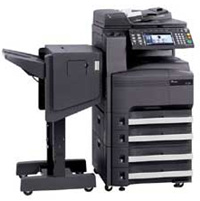

*** ALL TONERS AND SUPPLIES ARE IN STOCK AT DISCOUNTED PRICING , CALL +18882983095..
Printers do not include supplies - toners , drums (Imaging Units) (where applicable) , printer cables , manuals , consumables , trays (where applicable). Power cables are included. Drivers can be downloaded at www.hp.com. Please verify that drivers available are compatible with your software on HP’s site.
Product Details
Specifications
Accessories
Reviews
Product Details
Overview
With Copystar’s unique long lasting technology and embedded HyPAS, Copystar’s powerful and scalable software solutions platform, the CS 300i x gives you maximum performance and seamless integration with widely accepted software applications for virtually any business environment.
Main Features
- DMS Link -
Simplify document workflow through digital imaging, distribution, retrieval and long-time archival.
- PinPoint Scan - Scan from your MFP to your PC with added speed, functions and versatility.
- KYOCERA Cloud Connect - easily print from and scan directly to the cloud while on the go from select Copystar MFPs.
- KYOCERA Mobile Print - Simply and conveniently print files, web pages, and images using your smartphone or tablet.
- SharePoint Connector - Enhance collaboration utilizing your Copystar MFPs and your existing Microsoft SharePoint Server.
Specifications
| Functions | Standard Network Print, Copy and Color Scan
Optional Fax/NW Fax |
| Speed | 30 PPM |
| Max Monthly Duty Cycle | 100,000 Pages |
| Resolution | 600 x 600 dpi |
| Standard Paper Supply | 650 Sheets |
| Max Paper Size | 11" x 17" |
| Max Paper Weight | 110 lb Index |
| Original Size | 11" x 17" |
| Standard | |
| Network Connectivity | Standard 10/100BaseTX |
| PDL | PRESCRIBE, PCL 6 (XL, 5e), KPDL (PS3) |
| Fax Modem Speed | 33.6 Kbps |
| Fax Memory | Standard 12MB / Maximum 120MB |
Specifications
 Download Manufacturer Specifications
Accessories

Reviews



Copiers are an important investment for your business. Take the time to ask advice from a copier expert.
Copiers can take up a large amount of office space. Make sure you measure the room you intend to use the copier in and check it will fit properly.
Is your copy image too light? Manually adjust the copy density to a darker setting.
MY ACCOUNT
INFO & POLICIES
SHOP EASY
PAYMENT OPTIONS



