



 Shopping Cart


*** ALL TONERS AND SUPPLIES ARE IN STOCK AT DISCOUNTED PRICING , CALL +18882983095.
All reconditioned printers do not include supplies - toners , drums (Imaging Units) (where applicable) , printer cables , manuals , consumables, trays (where applicable). Power cables are included. Drivers can be downloaded from the manufacturers website. Please verify that drivers available are compatible with your software on the manufacturers site.
Product Details
Specifications
Accessories
Reviews
Product Details
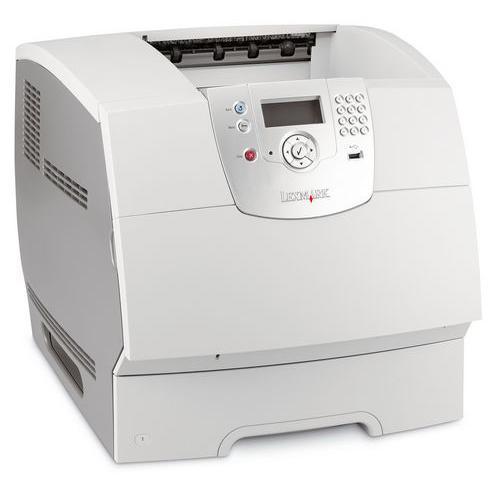
Main Features
- Speed: 45 ppm
- Resolution: 1200 x 1200 dpi
- Paper Capacity: 600 sheets
All our reconditioned printers are clean, tested and working.
Specifications
General Specifications
| Max Print Speed | 45 ppm |
| Connectivity | Parallel, USB and 10/100 Base-TX Ethernet |
| Max Resolution | 1200 x 1200 dpi |
| Environments | PC and Mac |
| First Page Out | 8.5 seconds |
| Paper Handling | 600 Sheet Paper |
| Processor | 457 MHz |
| Memory | 128 MB / 640 MB (max) |
Accessories

Reviews


Your ink is not going onto the paper properly or you notice uneven coverage? Try aligning the print heads before you bring out the big guns.
Are your printer nozzles getting clogged? Try adding a humidifier to the room where you keep your printer.
Paper jam? The best way to remove jammed paper is to gently pull the paper in the direction of the paper path - with power off, of course. Do not pull the paper backwards - you could damage your printer forever by doing so.
MY ACCOUNT
INFO & POLICIES
SHOP EASY
PAYMENT OPTIONS



