



 Shopping Cart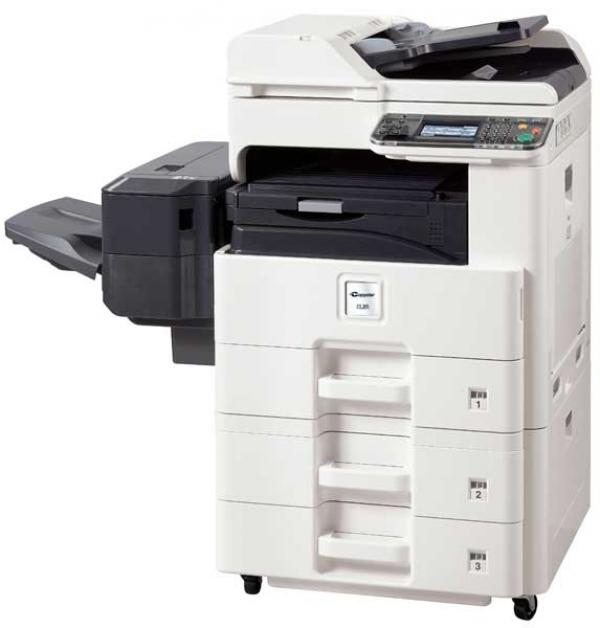

*** ALL TONERS AND SUPPLIES ARE IN STOCK AT DISCOUNTED PRICING , CALL +18882983095..
Printers do not include supplies - toners , drums (Imaging Units) (where applicable) , printer cables , manuals , consumables , trays (where applicable). Power cables are included. Drivers can be downloaded at www.hp.com. Please verify that drivers available are compatible with your software on HP’s site.
Product Details
Specifications
Accessories
Reviews
Product Details
INCLUDES REVERSING AUTO DOCUMENT FEEDER, NETWORK PRINT & SCAN, DRUM AND TONER. FACTORY SEALED BRAND NEW.
| Functions | Network Print, Copy and Color Scan. Optional Fax/Network Fax |
| Max Monthly Duty Cycle | 50,000 |
| Resolution | 600 x 600 dpi, Fast 1200 dpi |
| Standard Paper Supply | Std 600, Max 1600 |
| Max Paper Size | 11" x 17" |
| Max Paper Weight | Drawers: 43lb Bond MPT: 140lb. Index |
| Original Size | 5.5" x 8.5" - 11" x 17" (Statement-Ledger) |
| Standard | |
| Network Connectivity | Standard: 10/100/1000Base TX; High Speed USB 2.0, USB Host (2); Optional: 10/100/1000Base TX (for Dual NIC) |
| PDL | PRESCRIBE, PCL6 (PCL XL and 5e), KPDL (PS3), XPS |
| Fax Modem Speed | 33.6Kbps |
| Fax Memory | 9.5MB Std |
Specifications
 Download Manufacturer Specifications
Accessories

Reviews


What is a duplexer? A feature allowing your copier to print on both sides of the paper.
Make sure to include a stapling option if you need stapled copies.
If you know that you will need to collate or separate your copies, make sure your copier includes a sorter or finisher.
MY ACCOUNT
INFO & POLICIES
SHOP EASY
PAYMENT OPTIONS



