



 Shopping Cart
 Kyocera FS-C2126+ MFP Color Multifunction Copier
*Images may show options not included in price.
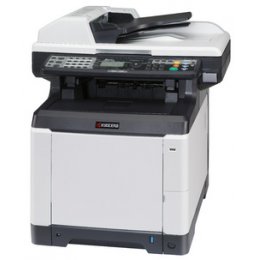

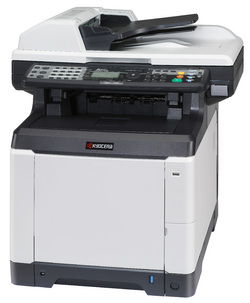
Images are for illustration purposes only and do not necessarily reflect the actual product.
Product Details
Specifications
Accessories
Reviews
Product Details
INCLUDES NETWORK PRINT, SCAN & FAX, DRUM AND TONER. BRAND NEW.
• Fast output speed of 28 pages per minute
• Standard color print, copy, scan and black & white fax
• USB host interfacefor convenient print-from and scan-to capability
• ECOSYS® longlife consumables reduce operating costs
• Kyocera ultra-reliable technology
| Functions | Standard Network Print, Scan, Copy and Fax/Network Fax |
| Speed | 28 PPM Color / 28 PPM Black |
| Max Monthly Duty Cycle | 65,000 Pages Per Month |
| Resolution | 600 X 600 dpi |
| Standard Paper Supply | Standard 250 Sheet Paper Drawer, 50 Sheet Multi Purpose Tray |
| Max Paper Size | 8.5" x 14" |
| Max Paper Weight | Drawers 90 lb. Index; MPT 120 lb. Index |
| Original Size | 8.5" x 14" |
| Duplexing | Standard |
| Network Connectivity | Standard 10/100BaseTX |
| PDL | PRESCRIBE. PCL6, (PCL5e, PCLXL) KPDL3, XPS, NOVELL PRINT |
| Fax Modem Speed | 33.6kbps |
| Fax Memory | 3.5MB |
Specifications
 Download Manufacturer Specifications
Accessories

Reviews



The advantage of a document feeder is that it allows you to feed multiple pages at once as opposed to copying each page individually.
Do not store paper which you will use in a copier or printer in a damp or moist atmosphere – such as a basement, or near a window or sink.
Do not store paper on its side as this will allow the edges to start curling.
MY ACCOUNT
INFO & POLICIES
SHOP EASY
PAYMENT OPTIONS



* Images are for illustration purposes only.