



 Shopping Cart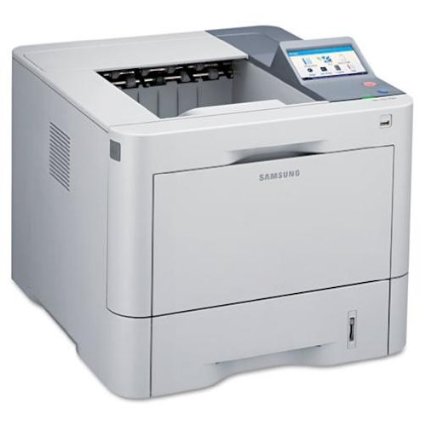




*** ALL TONERS AND SUPPLIES ARE IN STOCK AT DISCOUNTED PRICING , CALL +18882983095..
Printers do not include supplies - toners , drums (Imaging Units) (where applicable) , printer cables , manuals , consumables , trays (where applicable). Power cables are included. Drivers can be downloaded at www.hp.com. Please verify that drivers available are compatible with your software on HP’s site.
Product Details
Specifications
Accessories
Reviews
Product Details
Main Features
- Recommended Use: Plain Paper Print
- Print Color: Monochrome
- Maximum Mono Print Speed (ppm): 50
- Maximum Print Resolution: 1200 x 1200 dpi
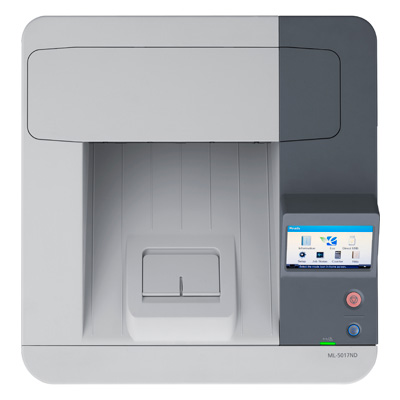
- USB Direct Printing: Yes
- Duplex Printing: Automatic
- Number of Colors: 1
Specifications
General Specifications
| Interfaces/Ports | |
|---|---|
| USB | Yes |
|
Display & Graphics | |
| Touchscreen | Yes |
|
General Information | |
| Manufacturer | Samsung |
| UPC Code | 10535742 |
| Manufacturer Part Number | ML-5017ND |
| Brand Name | Samsung |
| Product Model | ML-5017ND |
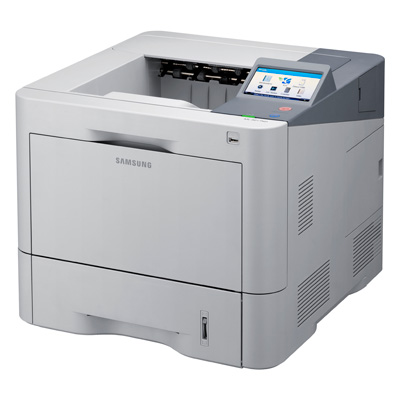
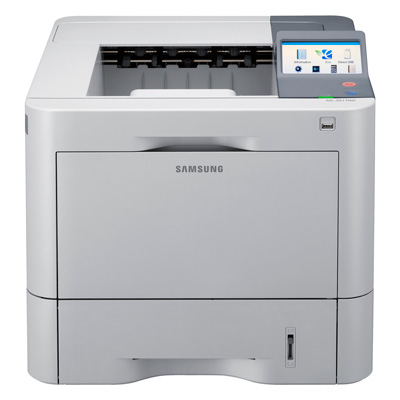
| Product Type | Laser Printer |
| Manufacturer Website Address | http://www.samsungusa.com |
| Product Series | ML |
|
Memory | |
| Standard Memory | 128 MB |
| Maximum Memory | 640 MB |
|
Network & Communication | |
| Ethernet Technology | Fast Ethernet |
| Ethernet | Yes |
|
Physical Characteristics | |
| Height | 14.1" |
| Width | 16.5" |
| Depth | 17.1" |
| Weight (Approximate) | 932.8 oz |
| Form Factor | Desktop |
|
Media Handling | |
| Media Size | Legal - 85.04" x 14.02", 3" x 5", Monarch Envelope, Envelope No. 10, Envelope No. 9, C5 Envelope - 6.38" x 9.02", C6 Envelope - 4.49" x 6.38", DL Envelope - 4.33" x 8.66" |
| Standard Input Media Capacity | 620 sheets |
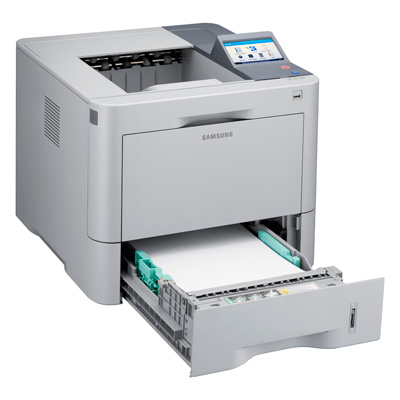
| Media Handling | 1 x Input Tray 520 Sheet, 1 x Bypass Tray 100 Sheet, 1 x Output Bin 500 Sheet, 1 x Output Tray 100 Sheet |
| Number of Input Trays Supported | 3 |
| Media Type | Plain Paper, Archive Paper, Bond Paper, Card Stock, Color Paper, Envelope, Extra Thick Paper, Label, Preprinted Paper, Recycled Paper, Thick Paper, Thin Paper, Transparency |
| Number of Input/Multipurpose Trays Installed | 2 |
| Maximum Input Media Capacity | 1140 sheets |
| Maximum Print Size | Legal - 8.50" x 14.02" |
|
Processor & Chipset | |
| Processor Speed | 600 MHz |
|
Technical Information | |
| Platform Supported | PC, Mac |
| Maximum Print Resolution | 1200 x 1200 dpi |
| Number of Colors | 1 |
| Duplex Printing | Automatic |
| Maximum Mono Print Speed (ppm) | 50 |
| USB Direct Printing | Yes |
| Print Color | Monochrome |
|
Reliability | |
| Duty Cycle | 200000 pages per month |
|
Fonts & Emulation | |
| Language Emulation | PCL 5e, PCL 6, KS/KSSM, KS5895, IBM ProPrinter, Direct PDF, PostScript 3 |
Accessories

Reviews



Allow ink to dry completely to avoid smudging. The time will vary based on the ink and paper quality used as well as the temperature and humidity conditions.
Is your printer feeding in the whole paper stack rather than just one piece at a time? Fan the paper before putting it in the tray to help separate the sheets. Also, store your paper in a cool, dry place as humidity can contribute to this problem.
Handle inkjet papers like photographic papers - hold them by the edges to avoid oil deposits and fingerprints.
MY ACCOUNT
INFO & POLICIES
SHOP EASY
PAYMENT OPTIONS



