



 Shopping Cart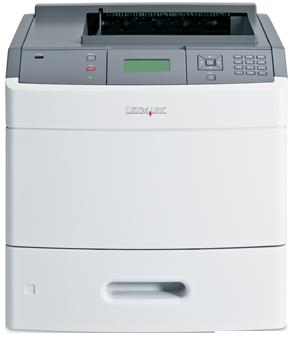

*** ALL TONERS AND SUPPLIES ARE IN STOCK AT DISCOUNTED PRICING , CALL +18882983095.
All reconditioned printers do not include supplies - toners , drums (Imaging Units) (where applicable) , printer cables , manuals , consumables, trays (where applicable). Power cables are included. Drivers can be downloaded from the manufacturers website. Please verify that drivers available are compatible with your software on the manufacturers site.
Images are for illustration purposes only and do not necessarily reflect the actual product.Product Details
Specifications
Accessories
Reviews
Product Details
Product Overview
The Lexmark T652-N Monochrome Laser Printer is guaranteed to maximize office efficiency. The T652 N provides built-in performance optimization in a versatile, network-ready monochrome laser every office will love.
Main Features
High-Endurance Printing at Its Best
Simplify high-volume jobs with a fast-thinking powerhouse featuring robust monthly duty cycle, up to 50 ppm print speed, and generous input capacity (650 sheets standard, up to 4,300 sheets with options). Plus diverse media support and a rich selection of paper handling options to choose from.
Let It Decide the Best Speed
Identifies the size and complexity of your job and automatically calculates the optimal speed"quicker time-to-first-page for short jobs and more pages per minute for longer jobs.
Intelligent Job Waiting
No more letting missing media derail hours of print time. The innovative Job Waiting feature will simply hold that job aside, letting others go on working without interruption (requires the hard disk option).
Outstanding Print Quality
Combines true 1200 x 1200 dpi with automatic darkness adjustment and pixel-boosting technology to ensure high-quality, professional documents every time.
Cutting-Edge Security
From network security to user-access restrictions, youll be fully equipped to keep valuable data safe and sound. In addition to IPSec, SNMPv3 and 802.1x network security, the Lexmark T652dn offers an alphanumeric pad for easy PIN authentication, plus encryption and disk wiping to secure the optional hard disk.
Less Work for IT
Network-ready and very easy to set up, plus Universal Driver support for simple deployment. Includes Lexmark MarkVision Professional software for time-saving remote management and automated tools.
Specifications
General Specifications
| Part # | 30G0210 |
|---|---|
| Print Technology |
|
| Workgroup Size |
|
| Display |
|
| Media Sizes Supported |
|
| Standard Ports |
|
| Size (in. - H x W x D) |
|
| Weight (lb.) |
|
| Packaged Size (in. - H x W x D) |
|
| Packaged Weight (lb.) |
|
Printing
| Print Speed |
|
|---|---|
| Time to First Page |
|
| Print Resolution |
|
| Duplex |
|
| Printable Area |
|
Paper Handling
| Media Types Supported |
|
|---|---|
| Finishing Option |
|
| Number of Paper Inputs |
|
| Paper Input Capacity |
|
| Paper Output Capacity |
|
| Paper Weight Range Supported |
|
| Paper Handling Standard |
|
| Paper Handling Optional |
|
| Recommended Monthly Page Volume |
|
| Maximum Monthly Duty Cycle |
|
Hardware
| Processor |
|
|---|---|
| Memory |
|
| Hard Disk |
|
| Printer Languages |
|
| Fonts and Symbol Sets |
|
Connectivity
| Direct USB |
|
|---|---|
| Ethernet Network |
|
| Network Protocol Support |
|
| Network Printing Methods |
|
| Network Management Protocols |
|
| Network Security |
|
| Optional Local Ports |
|
| Optional Network Ports |
|
Supported Operating Systems
| Microsoft Windows Operating Systems Supported |
|
|---|---|
| Apple Operating Systems Supported |
|
| Linux Operating Systems Supported |
|
| Citrix MetaFrame |
|
| Novell Operating Systems Supported |
|
| UNIX Operating Systems Supported |
|
| Other Operating Systems Supported |
|
Electrical & Operation
| ENERGY STAR |
|
|---|---|
| Noise Level |
|
| Average Power |
|
| Average Power in Standby with Power Saver On / Average Power in Standby with Power Saver Off |
|
| Specified Operating Environment |
|
| Product Certifications |
|
| UNSPSC Code |
|
| Harmonized Tariff Code |
|
| Country of Origin |
|
Accessories

Reviews


What is RAM? RAM or Buffer Memory holds the graphic information on the printer while the file is on its way to be printed. The larger the RAM, the faster the printer can print complex graphics.
Make sure to select the correct paper type for your print job. In general, for more important documents, use thicker paper.
If you are printing on photo paper, make sure you have set the printer to this setting and have not left it on the regular printer setting.
MY ACCOUNT
INFO & POLICIES
SHOP EASY
PAYMENT OPTIONS



