



 Shopping Cart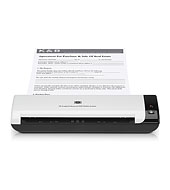

*** ALL TONERS AND SUPPLIES ARE IN STOCK AT DISCOUNTED PRICING , CALL +18882983095..
Printers do not include supplies - toners , drums (Imaging Units) (where applicable) , printer cables , manuals , consumables , trays (where applicable). Power cables are included. Drivers can be downloaded at www.hp.com. Please verify that drivers available are compatible with your software on HP’s site.
Images are for illustration purposes only and do not necessarily reflect the actual product.Product Details
Specifications
Accessories
Reviews
Product Details
Product Overview:
Scan documents on the spot, wherever you are"in the office, in the field or on the go"with the HP compact, portable scanner. Organize contracts, forms, receipts and business cards on your PC instead of on your desk or in your briefcase with this HP Scanjet Professional 1000 Mobile Scanner.
Main Features:
- Capture documents on the spot"in the office, at your customers site and even on the road.
- Carry and use the scanner almost anywhere"its lightweight, portable and compact.
- Protect and store the scanner in the included sturdy carrying case.
- Power the mobile scanner via your PCs Hi-Speed USB 2.0 port"no batteries or AC adapter needed.
- Scan with the touch of a button or scan directly from the application you're working in.
- Scan in different file formats"PDF, TIFF, JPEG, Microsoft Word"and save disk space with smaller file sizes.
- Archive files with Nuance PaperPort, and convert scans into editable files with Nuance OmniPage.
- Scan and organize business cards and embossed cards, using NewSoft Presto! BizCard Reader software.
- Scan a variety of paper sizes, from business cards to long forms.
- Scan at up to 5 ppm or two-sided in a single pass at up to 8 ipm, using the manual feed slot.
- Capture all the detail and fine print at up to 600 dpi scanning resolution.
Specifications
Accessories
*** ALL TONERS AND SUPPLIES ARE IN STOCK AT DISCOUNTED PRICING , CALL +18882983095
Reviews




When looking at a scanners specifications, bear in mind that you can use a scanner at a lower resolution, but you cannot go higher.
Drum scanners provide the highest level of image quality.
Because scans have two dimensions - height and width - the resolution of a scanner has two values, pixels per inch vertically and pixels per inch horizontally.
MY ACCOUNT
INFO & POLICIES
SHOP EASY
PAYMENT OPTIONS



