



 Shopping Cart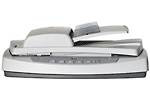

*** ALL TONERS AND SUPPLIES ARE IN STOCK AT DISCOUNTED PRICING , CALL +18882983095..
Printers do not include supplies - toners , drums (Imaging Units) (where applicable) , printer cables , manuals , consumables , trays (where applicable). Power cables are included. Drivers can be downloaded at www.hp.com. Please verify that drivers available are compatible with your software on HP’s site.
Product Details
Specifications
Accessories
Reviews
Product Details
Product Overview:
Get fast preview scans, one-touch operation, convenient copy center buttons, and HP Photo & Imaging software for graphics and digital photography with this automatic-document-feeding, duplexing HP Scanjet 5590 Scanner that holds up to 50 pages! Bonus: the innovative design fits neatly on your desk or a nearby shelf.
Main Features:
- Get high-quality results at 2400 dpi optical resolution and 48-bit color
- Automatically feed documents unattended and automatically scan them on both sides
- Load your originals, then press a button?the HP Scanjet 5590 does the rest
- Use the five easy one-touch buttons for scanning documents and photos, filing documents, sending e-mail, and accessing the copy functions
- Scan 35 mm slides and negatives with the included transparent materials adapter, plus documents, pages of books, and 3-D objects
- Scan fast, at up to 8 pages per minute, 4 images per minute
- Ensure compatibility with your existing data management systems using the TWAIN drivers
|
|
|
|
Specifications
Accessories
*** ALL TONERS AND SUPPLIES ARE IN STOCK AT DISCOUNTED PRICING , CALL +18882983095
Reviews


Work out the resolution you should scan your photos at by matching it to the resolution you will be printing in.
Handheld scanners require the user to manually scan the image by dragging the unit over the original document.
If your scanner doesn't provide a good quality dust removal feature, removing the dust from your photos with canned air before scanning will take less time than manually removing dust marks with a photo editing program afterwards.
MY ACCOUNT
INFO & POLICIES
SHOP EASY
PAYMENT OPTIONS



