



 Shopping Cart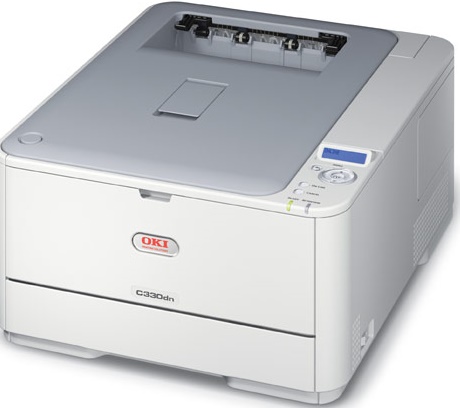


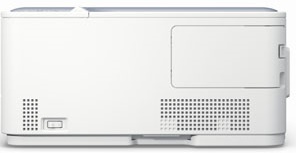


Product Details
Specifications
Accessories
Reviews
Product Details
Overview

Exceptional speed, performance and energy efficiency " with HD Color " for your desktop.
Fast output: color at up to 23 ppm;black & white at up to 25 ppm.
Fast time to first page: color in as little as 9 seconds, black & white in 8.5 seconds.
Main Features
- Fast processor speed: 532 MHz
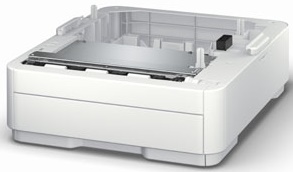
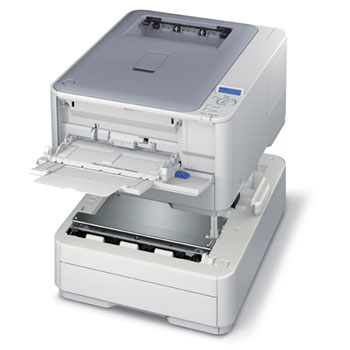
- Large standard paper capacity: 350 sheets; expandable to 880 sheets with options
- High reliability: robust 45,000 pages-permonth duty cycle
- Extremely low profile: just 9.5" in height All that"plus all this
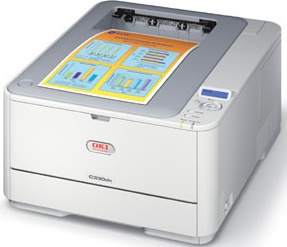
- HD Color printing technology for sharp detail and rich, dramatic color
- Duplex (2-sided) printing standard
- Prints banner-size sheets up to 47" 2
- PCL 6 and PostScript 3 emulations
- 1200 x 600 dpi resolution
- Windows and Mac compatibility
- 10/100 Base-T network and high-speed USB v2.0 connectivity, standard
- Memory expandable to 640 MB
- ENERGY STAR qualified
Specifications
General Specifications
| Printer Type | Laser |
| Output Type | Color |
| Networking | Wired |
| Automatic Two-Sided Printing | Yes |
| Print Speed Black | Up to 25 ppm |
| Print Speed Color | Up to 23 ppm |
| Maximum Resolution | Up to 1200 x 600 dpi |
| Memory | 128 MB, expandable to 640 MB |
| Weight | 48.4 lbs |
| Dimensions | (W x D x H) 16.10" x 19.8" x 9.5" |
| Paper Capacity | Up to 350 pages |
| Maximum Paper Size | 8.5" x 47" |
| Cable Included | No |
| Connectivity | USB, Ethernet, Parallel |
| Monthly Duty Cycle | 45,000 pages |
Accessories

Reviews


Getting blank pages after you installed a new cartridge? Check that the sticker from the cartridge was properly removed. Alternatively, run the clean print head function to make sure all air bubbles are removed. Do not remove the cartridge once it has been installed.
Fed up of re-sorting your printouts? For those inkjets that don't have a reverse print feature in the driver, some programs offer printing in reverse order.
Use a lightly dampened cloth to clean the outside of your laser printer. To clean the inside, use a dry, lint-free cloth to make sure that no liquid enters the inner parts of the printer.
MY ACCOUNT
INFO & POLICIES
SHOP EASY
PAYMENT OPTIONS



