



 Shopping Cart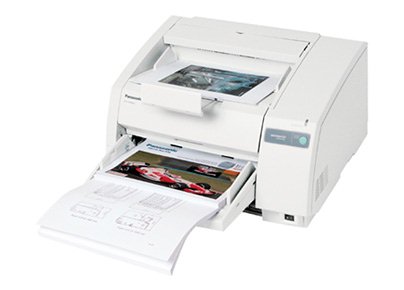

*** ALL TONERS AND SUPPLIES ARE IN STOCK AT DISCOUNTED PRICING , CALL +18882983095..
Printers do not include supplies - toners , drums (Imaging Units) (where applicable) , printer cables , manuals , consumables , trays (where applicable). Power cables are included. Drivers can be downloaded at www.hp.com. Please verify that drivers available are compatible with your software on HP’s site.
Images are for illustration purposes only and do not necessarily reflect the actual product.Product Details
Specifications
Accessories
Reviews
Product Details
Overview
The KV-S3065CL high-speed scanner is the reliable choice for low volume color document management solutions. With its capability to detect color and black & white pages this attribute reduces scan-to-file size while promoting a more efficient scanning process. The switchable reference accommodates software and driver specific requirements by supporting both black and white references, this then also ensures the highest quality of accuracy when cropping and/ or de-skewing. Hybrid Contact Image Sensor Technology incorporates a 3-line CCD image sensor and dual fluorescent white lamps, resulting in the best technologies.
Specifications
General Specifications
| Product Type: | Sheetfed Scanner |
| USB: | Yes |
| Brand Name: | Panasonic |
| Product Type: | Sheetfed Scanner |
| Scan Color: | Color |
| Grayscale Depth: | 8-bit |
| USB: | Yes |
| SCSI: | Yes |
| Maximum Mono Scan Speed (ppm): | 65 |
| Maximum Color Scan Speed (ppm): | 65 |
| Maximum Mono Scan Speed (ipm): | 120 |
| Maximum Color Scan Speed (ipm): | 120 |
| Height: | 287.0 mm |
| Width: | 495.3 mm |
| Depth: | 574.0 mm |
| Media Type: | Business Card |
| Media Type: | Plain Paper |
| Color Depth: | 24-bit |
| Brand Name: | Panasonic |
| Manufacturer: | Panasonic |
| Product Model: | KV-S3065CL |
| Product Name: | KV-S3065CL Sheetfed Scanner |
| Image Sensor: | CCD |
| Manufacturer Part Number: | KV-S3065CL |
| Manufacturer Website Address: | www.panasonic.com |
| Marketing Information: |
The KV-S3065C of high speed color scanners incorporate exceptional features and performance into a powerful, robust scanning solution. |
| Media Size: | 48.26 mm x 69.85 mm |
| Media Size: | 279.40 mm x 355.60 mm |
Accessories

Reviews




If you'll be happy with photo scans that can be viewed onscreen or reprinted at the same size, but with noticeable color shifts and loss of resolution, consider using an inexpensive sheet fed scanner.
Sheet-fed scanners scan a stack of pages in sequence whilst your free to get coffee!
Color depth tells you the number of different colors that the scanner can record.
MY ACCOUNT
INFO & POLICIES
SHOP EASY
PAYMENT OPTIONS



