



 Shopping Cart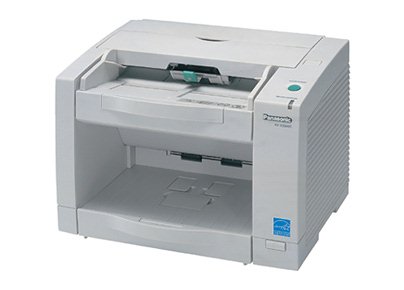

*** ALL TONERS AND SUPPLIES ARE IN STOCK AT DISCOUNTED PRICING , CALL +18882983095..
Printers do not include supplies - toners , drums (Imaging Units) (where applicable) , printer cables , manuals , consumables , trays (where applicable). Power cables are included. Drivers can be downloaded at www.hp.com. Please verify that drivers available are compatible with your software on HP’s site.
Images are for illustration purposes only and do not necessarily reflect the actual product.Product Details
Specifications
Accessories
Reviews
Product Details
KV-S2048C combines small footprint, durability and reliable paper handling, including ultrasonic double feed detection for safety. It scans 41 A4 sheets per minute in simplex or 36 sheets in duplex at 200 dpi resolution. In color at 150 dpi resolution the speed is 18 sheets per minute in simplex and 16 in duplex. Optical resolution of 600 dpi combined with advanced image enhancement technology produce excellent image quality. The automatic document feeder capacity is 95 sheets (80 g/sqm) and it handles documents weighing from 40 to 127 g/sqm. An optional pre-imprinter is available. Image controls include Dynamic Threshold, Noise Reduction, Moire Reduction, De-skew, Blank Page Removal, Automatic Binary / Color Distinction, Hole Removal and much more. Among other useful functions are Patch Code Detection, Separation Sheet Detection, and Barcode Detection.
Specifications
Accessories

Reviews


A scanner may cost more due to a lower noise CCD array that delivers cleaner dark colors.
If you are scanning an image for your website, scan at 75-100 dpi. This will give you good quality, but small file size.
Make sure the scanning glass is clean and has no dust on it before you start scanning.
MY ACCOUNT
INFO & POLICIES
SHOP EASY
PAYMENT OPTIONS



