



 Shopping Cart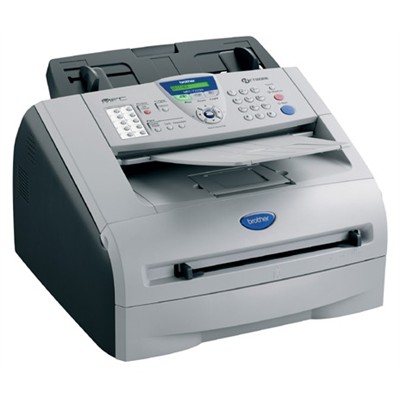

*** ALL TONERS AND SUPPLIES ARE IN STOCK AT DISCOUNTED PRICING , CALL +18882983095..
Printers do not include supplies - toners , drums (Imaging Units) (where applicable) , printer cables , manuals , consumables , trays (where applicable). Power cables are included. Drivers can be downloaded at www.hp.com. Please verify that drivers available are compatible with your software on HP’s site.
Product Details
Specifications
Accessories
Reviews
Product Details

- Up to 20ppm print speed
- Up to 1200 x 600 print resolution
- 16MB (up to 500 pages*) fax memory
- 250-sheet paper tray capacity adjustable for letter and legal paper
- 14.4K bps fax
- Mac and Windows compatible
- Full-Speed USB 2.0 and Parallel interfaces
- Built-in internal network board (Ethernet) interface
- Faster fax modem speed (33.6K bps)
- Greater memory capacity (32MB)
- Greater ADF capacity (Up to 30 sheets)
- PCL6 and BR-S3 (PostScript Level 3 emulations
Specifications
Accessories

Reviews


Printer not working? Check if the heads of the toners are clean or not. They must be cleaned periodically.
What is dpi? Dpi is used to describe the resolution number of dots per inch in a digital print. The higher the numbers, the more detailed the print image is.
Use a lightly dampened cloth to clean the outside of your laser printer. To clean the inside, use a dry, lint-free cloth to make sure that no liquid enters the inner parts of the printer.
MY ACCOUNT
INFO & POLICIES
SHOP EASY
PAYMENT OPTIONS



