



 Shopping Cart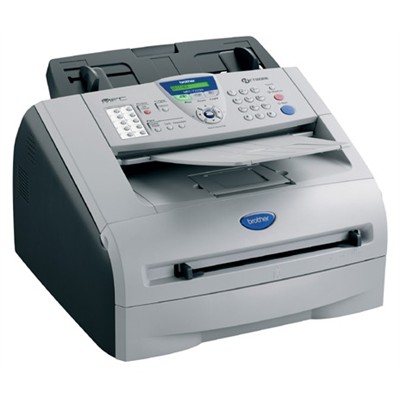

*** ALL TONERS AND SUPPLIES ARE IN STOCK AT DISCOUNTED PRICING , CALL +18882983095..
Printers do not include supplies - toners , drums (Imaging Units) (where applicable) , printer cables , manuals , consumables , trays (where applicable). Power cables are included. Drivers can be downloaded at www.hp.com. Please verify that drivers available are compatible with your software on HP’s site.
Product Details
Specifications
Accessories
Reviews
Product Details

- Up to 20ppm print speed
- Up to 1200 x 600 print resolution
- 16MB (up to 500 pages*) fax memory
- 250-sheet paper tray capacity adjustable for letter and legal paper
- 14.4K bps fax
- Mac and Windows compatible
- Full-Speed USB 2.0 and Parallel interfaces
- Built-in internal network board (Ethernet) interface
- Faster fax modem speed (33.6K bps)
- Greater memory capacity (32MB)
- Greater ADF capacity (Up to 30 sheets)
- PCL6 and BR-S3 (PostScript Level 3 emulations
Specifications
Accessories

Reviews


Out of a color cartridge? Many printer drivers include an option to print using black only, or equivalent options to override the refusal to print.
Most printers will beep once or twice during or after initialization. If it beeps more than that or beeps constantly, it is telling you that something is wrong. Most printers beep when out of paper or out of ink.
Is your printer smearing immediately after changing a cartridge? Check that the protective tape over the nozzles is completely removed.
MY ACCOUNT
INFO & POLICIES
SHOP EASY
PAYMENT OPTIONS



