



 Shopping Cart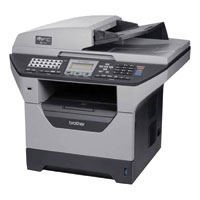

*** ALL TONERS AND SUPPLIES ARE IN STOCK AT DISCOUNTED PRICING , CALL +18882983095..
Printers do not include supplies - toners , drums (Imaging Units) (where applicable) , printer cables , manuals , consumables , trays (where applicable). Power cables are included. Drivers can be downloaded at www.hp.com. Please verify that drivers available are compatible with your software on HP’s site.
Product Details
Specifications
Accessories
Reviews
Product Details
Overview of the Brother MFC-8480DN High-Performance Laser All-in-One with Networking and Duplex Printing
The MFC-8480DN offers great value for your business. Its automatic duplex feature for two-sided printing helps save paper and an optional high yield toner cartridge is available to help lower your operating costs. Its legal-size document glass allows for ample room for scanning and copying one document at a time. Use the 50-sheet capacity auto document feeder for copying, scanning or faxing multi-page documents. It also has a USB direct interface to print PDF or JPEG files from or scan PDF or JPEG files to your USB flash memory drive.
Main Features of the Brother MFC-8480DN High-Performance Laser All-in-One with Networking and Duplex Printing
-
Fast printing and copying. Produces crisp monochrome output at an impressive print and copy speed of up to 32 pages per minute.
-
Automatic duplex printing. Save paper and reduce costs by printing two-sided documents and booklets.
-
Large, expandable paper capacity. Features a 250-sheet paper tray adjustable for letter or legal size paper, a 50-sheet multi-purpose tray plus an optional 2nd 250-sheet paper tray to increase your total paper capacity to 550 sheets.
-
High yield replacement toner cartridge. An optional high yield 8,000 page toner cartridge is available to help lower your operating costs.
-
Convenient walk-up printing and scanning. A USB direct interface is located on the front of the machine for printing PDF or JPEG files from or scanning PDF or JPEG files to your USB flash memory drive.
-
Legal-size document glass. Ample room for placing documents on the platen for scanning or copying up to legal-size documents.
Flexible connectivity. Install the MFC on a wired or wireless network via Ethernet for multiple users to share its printing, scanning and faxing or to one computer via USB or Parallel.
| Specification for the Brother MFC-8480DN High-Performance Laser All-in-One with Networking and Duplex Printing | |
| General Specifications | |
| Modem Speed | 33.6 Kbps |
| Scan Speed [Seconds per Page] | 2sec |
| Print Speed [Pages per Minute] | 32ppm |
| Output Resolution | 1200x1200dpi |
| Standard Paper Capacity | 250-Sheets |
| Std/Max Memory | 64MB |
| One-Touch Dials | 40 |
| Speed Dials | 300 |
| Broadcasting | 390 |
| Copier Specifications | |
| Copy Speed (CPM) | 32 cpm |
| Copy Resolution | 600x2400dpi |
| Zoom | 50%-200% |
| Printer Specifications | |
| Mono/Color Speed (PPM) | 32 ppm |
| Output Resolution | 1200x1200dpi |
| PDL/PCL | PCL 6 BR-Script 3 |
| Connectivity Specifications | |
| Interface(s) | USB 2.0 |
| Network Interface | Ethernet |
| Multifunction Modes | |
| Copier | Std |
| Fax | Std |
| Network Printer | Std |
| PC Printer | Std |
| Network Scanner | Std |
| PC Scanner | Std |
| Model | MFC-8480DN |
Professional installation available - please call for pricing
Specifications
Accessories

Reviews



Getting blank pages after you installed a new cartridge? Check that the sticker from the cartridge was properly removed. Alternatively, run the clean print head function to make sure all air bubbles are removed. Do not remove the cartridge once it has been installed.
Don't move a print head unless the instructions direct it. You can damage the belt or other parts.
Is your printer smearing immediately after changing a cartridge? Check that the protective tape over the nozzles is completely removed.
MY ACCOUNT
INFO & POLICIES
SHOP EASY
PAYMENT OPTIONS



