



 Shopping Cart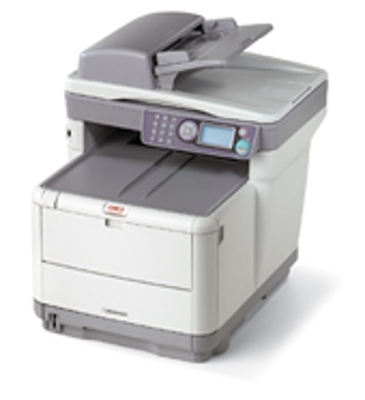

*** ALL TONERS AND SUPPLIES ARE IN STOCK AT DISCOUNTED PRICING , CALL +18882983095..
Printers do not include supplies - toners , drums (Imaging Units) (where applicable) , printer cables , manuals , consumables , trays (where applicable). Power cables are included. Drivers can be downloaded at www.hp.com. Please verify that drivers available are compatible with your software on HP’s site.
Images are for illustration purposes only and do not necessarily reflect the actual product.Product Details
Specifications
Accessories
Reviews
Product Details
Overview Of The Okidata C3530n Color MF Copier Printer Scanner & Fax RECONDITIONED
The Okidata C3530n MFP from OKI Printing Solutions is one of the smallest and fastest MFP's in its class. It is an ideal solution for individuals and small workgroups who require a fast, reliable and affordable MFP that delivers high-quality color, ease of use and full multifunctionality.
Key features of the Okidata C3530n MFP include: print speeds of up to 16 ppm in color, 20 ppm in black & white; a convenient USB front port for scan-to memory stick; 10/100 Base-T network and USB high-speed connectivity; full-featured fax.
Main Features Of The Okidata C3530n Color MF Copier Printer Scanner & Fax RECONDITIONED
-
Print, copy, scan, walk-up and PC fax from a single device
-
Print at speeds up to 16 ppm in color, up to 20 ppm in black & white
-
High Definition Color printing technology for outstanding print and copy quality
-
Hassle-free networking; easy-to-use functionality
-
Full-featured analog fax Scan to network, FTP, e-mail or USB memory stick
-
Compact design to fit even the smallest environment
-
250-sheet standard/max paper capacity
-
Banner printing capability on sheets up to 4 feet in length
-
Separate toner cartridges and image drum for greater cost efficiency
| Specifications | |
| Color Print Speed | 16 Pages Per Minute |
| Black and White Print Speed | 20 Pages Per Minute |
| Print Resolution | 1200x600 |
| Network | Standard 10/100 Base T Ethernet |
| Color Copy Speed | 6 Pages Per Minute |
| Black and White Copy Speed | 16 Pages Per Minute |
| System Memory | 128 MB (Upgradeable to 320MB) |
| ADF | Standard 50 Sheet |
| Paper Capacity | Standard 250 Sheets |
| Paper Weight | Main tray 17 lb. - 32 lb. (64-120 gsm); Manual feed 20 lb. bond - 110 lb. index (75-203 gsm) |
| Scan Type | Color and Black and White - Flatbet |
| Scan Method | Twain |
| Scan to PC | Standard |
| Scan to Email Protocol | Standard |
| Modem Speed | 33.6 |
| Transmission Speed | 3 Seconds per Page |
| Speed Dials | 100 Locations |
| Dimensions WxDxH (Inches/cm) | 17.6 x 21.5 x 20.5 (44.7 x 54.6 x 52.0) |
| Weight | 63.9 lbs |
Specifications
Accessories

Reviews


If the fax machine has a display screen, look for a confirmation that the fax actually went through. Otherwise, your fax may print a confirmation.
Like any other printer, a fax machine consumes paper and ink, so make sure you keep enough supplies on hand.
Usually the fax machine will have some sort of indicator when the toner is low.
MY ACCOUNT
INFO & POLICIES
SHOP EASY
PAYMENT OPTIONS



