



 Shopping Cart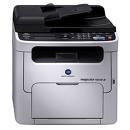

Product Details
Specifications
Accessories
Reviews
Product Details
The Konica Minolta Magicolor 1690-MF Color Laser Printer saves space without compromising on quality with the best multifunction printer on the market: the Magicolor 1690 MF from Konica Minolta. This compact printer quickly delivers 20 ppm B&W and 5 ppm color output and features a monthly duty cycle of 35,000 prints.
Overview
Speed the flow of information with a magicolor 1690MF printer. Designed to provide high quality 1200 x 600 dpi prints at speeds up to 20 ppm B&W and 5 ppm color, this printer, copier, scanner and fax is the best multifunction printer for the size and money. It's small footprint of 16.0" x 16.9" fits into any office and is non-obtrusive for desktop use. Plus, the printer is quiet with an operating noise level of = 52 dB(A) and standby noise level of = 32 dB(A) so you won't be distracted by noisy output. Plus, it offers an Ethernet 10/100BaseTX & USB 2.0 connection for network or local use.
For convenient multifunction use, the Konica Minolta magicolor 1690MF features a 33.6 kbps Super G3 fax. And supply replenishment is simple with a full-front access panel and an optional 500-sheet paper tray allowing for longer periods between refills.
-
Hi-Speed, professional quality prints in seconds. Outputs in vivid 1200 x 600 dpi at speeds up to 20 ppm B&W and 5 ppm color with a monthly duty cycle of 35,000 prints per month.
-
The Super G3 fax keeps information flowing at 33.6 Kbps and offers 6 MB of memory to make faxing important documents a breeze.
-
Energy Star rated, saving you money on utility bills while protecting the environment.
-
Robust options such as an optional 500-sheet paper tray increase productivity making the magicolor 1690MF the best multifunction printer for any busy office environment.
-
Full-front access panel makes changing toner and clearing paper jams simple and pain-free.
Main Features:
Print:
-
Color: 5 ppm
-
B&W: 20 ppm
-
1200 x 600 dpi
-
125MB RAM
-
Ethernet/USB
-
Up to 8.5"x14"
-
Compatible with Windows and Mac
-
200 sheet mpt input
Copy:
-
Color: 5 cpm
-
B&W: 20 cpm
Scan:
-
Color
-
Flatbed
-
600 x 600 dpi
Fax:
-
33.6Kbps
-
Super G3
-
6 MB Memory
Specifications
Accessories

Reviews


Flashing light on your printer? Each printer has a different reason for a blinking or orange light but in general it is due to a paper jam, an empty paper tray, a printer cartridge problem or a problem with the printer hardware.
Most printers have a paper-out detector. On most dot matrix printers it is a photo diode. If form-fed paper is not aligned correctly (usually on the left side) the diode won't see it.
Is your printer smearing immediately after changing a cartridge? Check that the protective tape over the nozzles is completely removed.
MY ACCOUNT
INFO & POLICIES
SHOP EASY
PAYMENT OPTIONS



