



 Shopping Cart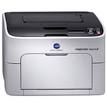

Product Details
Specifications
Accessories
Reviews
Product Details
Do business better with the best small office printer from Konica Minolta, the magicolor 1650EN. This ultra compact, lightweight color laser printer features a monthly duty cycle of 35,000 prints and outputs documents at speeds up to 20 ppm B&W and 5 ppm color.
Overview
Designed to be the best small office printer for your money, the Konica Minolta magicolor 1650EN packs robust features into a compact package. Its low purchase price and cost per print will save your business money without compromising on quality or features.
-
Ethernet 10/100BaseTX & USB 2.0 connection for network or local use
-
Prints full color, high-resolution (9600 x 600 dpi) documents and images at rapid speeds; 20 ppm B&W and 5 ppm color
Other Features Include:
-
Easy network management with built-in PageScope utilities that save time and money
-
Pre-installed supplies and auto install software for easy set-up
-
Compact (15.6" x 15") & lightweight (33 lb.) design fits anywhere making it the best small office printer for a variety of locations
-
Emperon print system drives performance with PostScript 3 and PCL 6 languages for Windows, Mac and Linux operating systems
-
Flexible paper management with a 200-sheet fold up input tray designed to save space and 500-sheet feeder and auto duplexer options
-
Energy Star rated to protect the environment and save your business money on utility bills; making it the best small office printer for environmentally conscious businesses
Main Features:
-
Color: 5 ppm
-
B&W: 20 ppm
-
9600 x 600 dpi
-
256MB RAM
-
Ethernet/USB
-
Up to 8.5"x14"
-
Compatible with Windows/Mac and Linux
-
200 sheet input
Specifications
Accessories

Reviews


Tight on office space? Consider buying a machine with networking capabilities which will allow multiple users to use one printer.
Use a lightly dampened cloth to clean the outside of your laser printer. To clean the inside, use a dry, lint-free cloth to make sure that no liquid enters the inner parts of the printer.
Is your printer feeding in the whole paper stack rather than just one piece at a time? Fan the paper before putting it in the tray to help separate the sheets. Also, store your paper in a cool, dry place as humidity can contribute to this problem.
MY ACCOUNT
INFO & POLICIES
SHOP EASY
PAYMENT OPTIONS



