



 Shopping Cart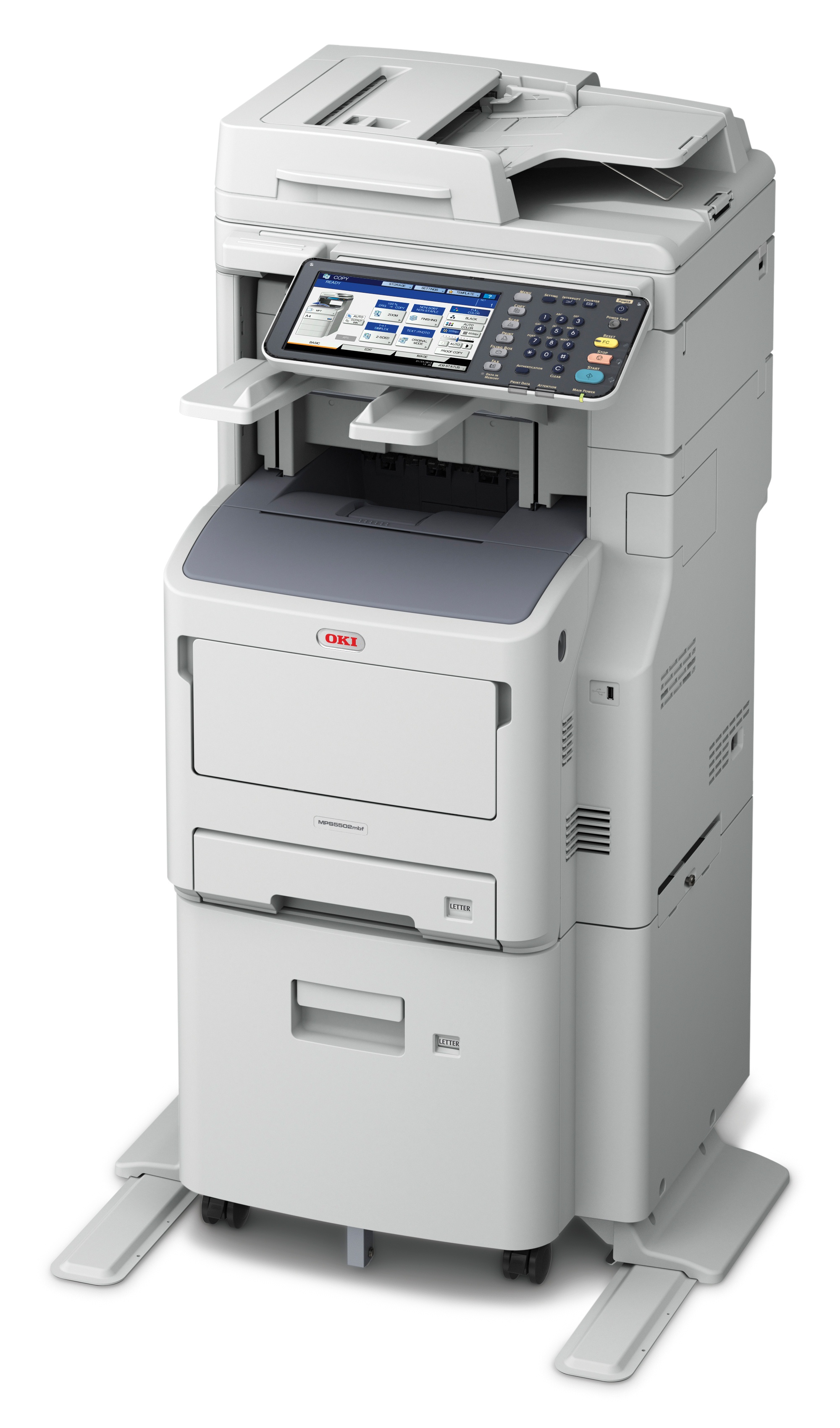

Product Details
Specifications
Accessories
Reviews
Product Details
Main Features
- Print, copy, scan, fax
- Print Speed: 55ppm
- First Page Out: 5 seconds
- Print Resolution: 1200 x 1200 dpi
- 1.2 GHz processor
- 2 GB standard/max memory
- Standard Paper Capacity: 2,630 Sheets
- Maximum Paper Capacity: 3,160 Sheets
- 1 Gigabit Ethernet and High-speed USB connectivity
- Direct USB printing/scanning
- Automatic duplex print/copy
- 50-sheet inline stapler
- Compatible with Apple® AirPrint™ mobile printing app
- 9" Color touch-screen control
Specifications
General Specifications
|
Functions |
Print, Copy, Scan, Fax |
|
Print Speed |
55 ppm |
|
Duplex Print Seed |
42 ipm |
|
First Page Out |
5 seconds |
|
Print Resolution |
Up to 1200 x 1200 dpi |
|
Duplex Printing |
Standard |
|
Processor |
1.2 GHz CPU |
|
Connectivity |
Standard 1 Gigabit Ethernet (10/100/1000 Base-TX); High-Speed USB; USB Host (x2) |
|
Monthly Duty Cycle |
Up to 280,000 pages |
|
Copy Resolution |
600 x 600 dpi |
|
Copy Scaling |
25% to 400% |
|
Scan Type |
Color Legal-size flatbed; Duplexing/ Reversing Automatic Document Feeder (RADF) |
|
Max Scan Area |
8.5" x 14" |
|
RADF Capacity |
100 sheets max. |
|
Scan Speed |
Up to 55 ipm Color/Mono @ 300 dpi |
|
Scan Resolution |
600 x 600 dpi |
|
Scan-to Capabilities |
Filing box, Shared folder, Email, USB memory, WSD scan |
|
Fax Modem Speed |
33.6 Kbps Super G3 |
|
Transmission Speed |
Apprx. 3 seconds per page |
|
Fax Resolution |
300 x 300 dpi |
|
Standard Paper Capacity |
2,630 Sheets |
|
Maximum Paper Capacity |
3,160 Sheets |
|
Dimensions (WxDxH) |
20.6" x 23.8" x 47.8" |
|
Weight |
172.4 lb |
 Download Manufacturer Specifications
Accessories

Reviews


Tight on office space? Consider buying a machine with networking capabilities which will allow multiple users to use one printer.
Flashing light on your printer? Each printer has a different reason for a blinking or orange light but in general it is due to a paper jam, an empty paper tray, a printer cartridge problem or a problem with the printer hardware.
Don't be in a rush with your printer as you can easily damage a printer, or even get hurt, if you do not follow the instructions in the user manual.
MY ACCOUNT
INFO & POLICIES
SHOP EASY
PAYMENT OPTIONS



