



 Shopping Cart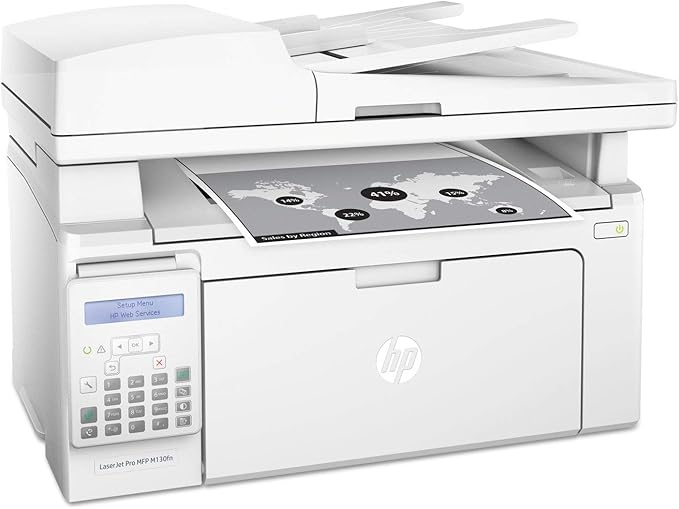



*** ALL TONERS AND SUPPLIES ARE IN STOCK AT DISCOUNTED PRICING , CALL +18882983095.
All reconditioned printers do not include supplies - toners , drums (Imaging Units) (where applicable) , printer cables , manuals , consumables, trays (where applicable). Power cables are included. Drivers can be downloaded from the manufacturers website. Please verify that drivers available are compatible with your software on the manufacturers site.
Product Details
Specifications
Accessories
Reviews
Product Details
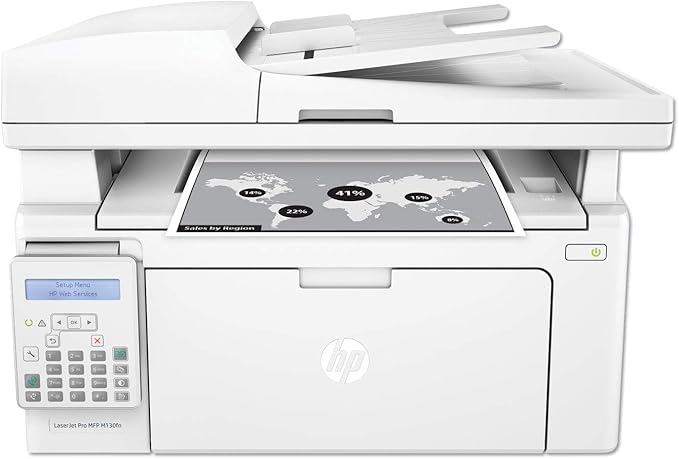
Main Features:
- Print, scan, copy, fax
- Black and white prints
- Print Speed: up to 23 pages per minute
- Maximum Resolution: 600 x 600 dpi
- LCD Control Panel
- USB, Ethernet Connectivity
Specifications
General Specifications:
| Printer Media Size Maximum | 8.5 x 14 inch |
|---|---|
| Scanner Type | Flatbed |
| Max Input Sheet Capacity | 150 |
| Max Copy Speed (Black & White) | 23 ppm |
| Display Type | LCD |
| Compatible Devices | PC, Laptops |
| Maximum Color Print Resolution | 1200 dpi |
| Sheet Size | 3 x 5, 4 x 6, 5 x 7, 5 x 8, 8.5 x 13 |
| Maximum Black and White Print Resolution | 1200 dpi |
| Dual-sided printing | No |
| Maximum copies per run | 99 |
| Max copy resolution black-white | 600 dpi |
| Duplex | Manual |
| Hardware Interface | Ethernet |
| Ink Color | Black |
| Resolution | 600 x 600 |
| Additional Printer functions | Copy, Scan, Fax |
 Download Manufacturer Specifications
Accessories

Reviews


All other things being equal, whiter, brighter paper makes text and line graphics crisper and colors more vibrant.
Getting blank pages after you installed a new cartridge? Check that the sticker from the cartridge was properly removed. Alternatively, run the clean print head function to make sure all air bubbles are removed. Do not remove the cartridge once it has been installed.
Your ink is not going onto the paper properly or you notice uneven coverage? Try aligning the print heads before you bring out the big guns.
MY ACCOUNT
INFO & POLICIES
SHOP EASY
PAYMENT OPTIONS



