



 Shopping Cart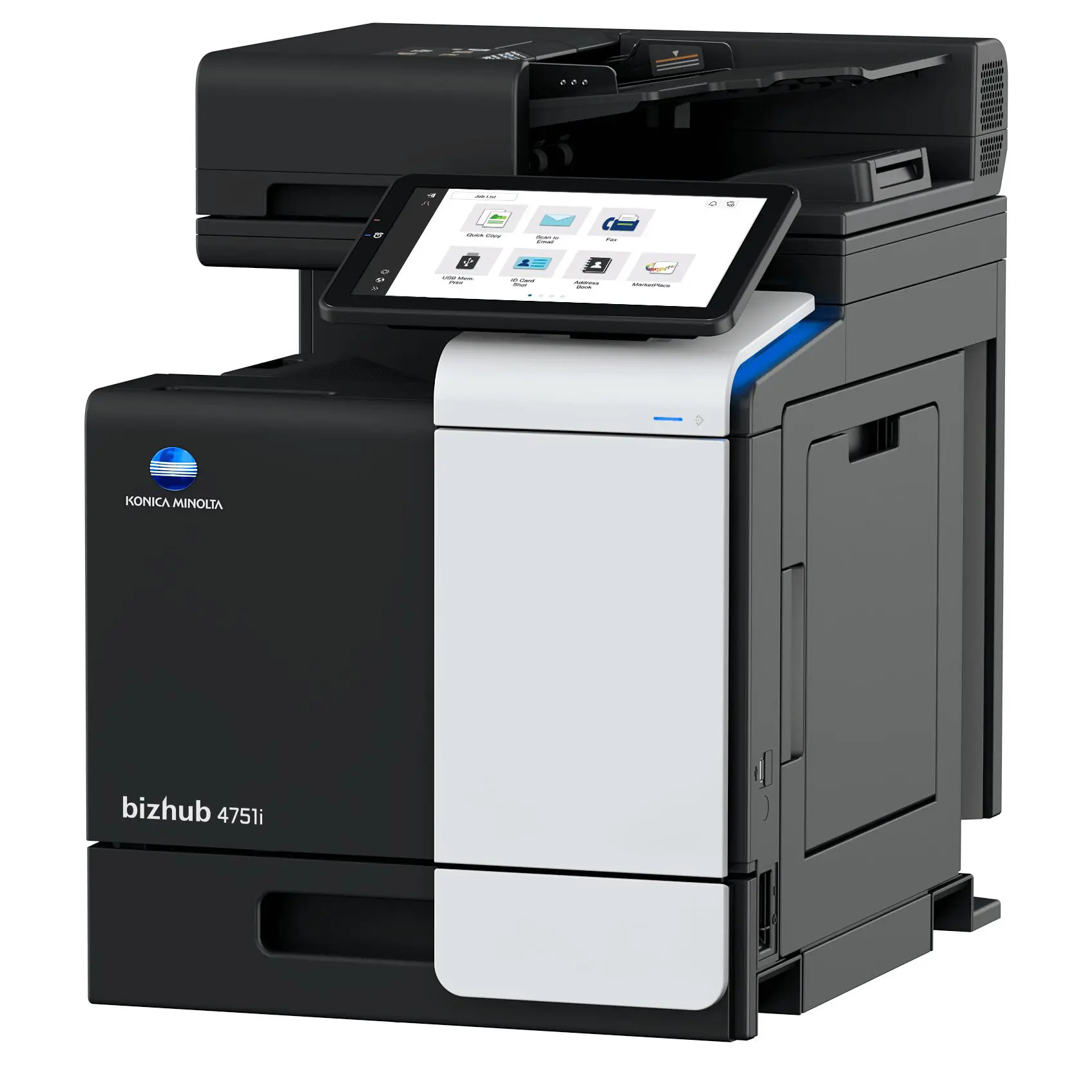

*** ALL TONERS AND SUPPLIES ARE IN STOCK AT DISCOUNTED PRICING , CALL +18882983095.
Printers do not include supplies - toners , drums (Imaging Units) (where applicable) , printer cables , manuals , consumables , trays (where applicable). Power cables are included. Drivers can be downloaded from the manufacturers website. Please verify that drivers available are compatible with your software on the manufacturers site.
Product Details
Specifications
Accessories
Reviews
Product Details
Main Features
- Monochrome Laser Multifunction Printer
- Print, Copy, Scan and Fax
- Monthly Duty Cycle: 120,000 Pages
- Recommended Monthly Volume: 6,500 Pages
- Print Speed: 42 ppm
- Print Resolution: 1200 x 1200 dpi
- Maximum capacity: 1600 sheets
- Memory: 5 GB
- Auto duplex print
- Mobile Connectivity
- Intuitive Operability
Specifications
 Download Manufacturer Specifications
Accessories

Reviews


Allow ink to dry completely to avoid smudging. The time will vary based on the ink and paper quality used as well as the temperature and humidity conditions.
What is dpi? Dpi is used to describe the resolution number of dots per inch in a digital print. The higher the numbers, the more detailed the print image is.
Printer not working? The printer memory could be full and not getting prints or the prints may be stuck in the print queue. Turn-off the printer, wait a few seconds and turn it back on.
MY ACCOUNT
INFO & POLICIES
SHOP EASY
PAYMENT OPTIONS



