



 Shopping Cart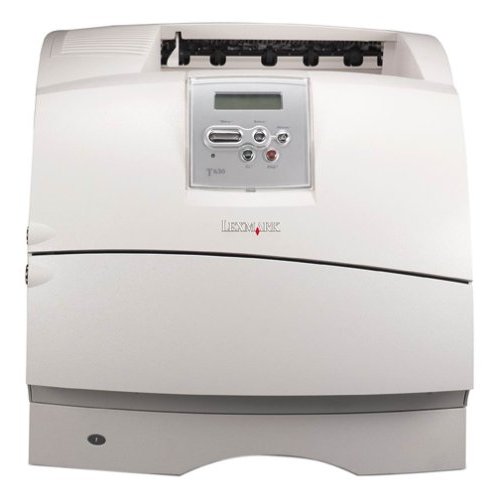

*** ALL TONERS AND SUPPLIES ARE IN STOCK AT DISCOUNTED PRICING , CALL +18882983095.
All reconditioned printers do not include supplies - toners , drums (Imaging Units) (where applicable) , printer cables , manuals , consumables, trays (where applicable). Power cables are included. Drivers can be downloaded from the manufacturers website. Please verify that drivers available are compatible with your software on the manufacturers site.
Product Details
Specifications
Accessories
Reviews
Product Details
Overview Of The Lexmark Optra T630 Laser Printer RECONDITIONED
The Lexmark T630 is a powerful workgroup laser printer that will meet your needs impressively and affordably. Fast print speeds of up to 35 ppm and true quality dpi output gives you the results you'll looking for in a workgroup laser printer. Optional networking and extensive paper handling options are available to maximize your productivity and increase ease of use. With the Lexmark T630 laser printer, you can have a complete business solution at an outstanding value.
| Specifications | |
| Max Print Speed | 33 ppm |
| Connectivity | via USB and Parallel |
| Max Resolution | 1200 x 1200 dpi |
| Environments | PC and Mac |
| First Page Out | 8.5 seconds |
| Paper Handling | 350 Sheet Paper |
| Memory | 32 MB / 288 MB (max) |
All our reconditioned printers are clean, tested and working.
Specifications
Accessories

Reviews


Getting blank pages after you installed a new cartridge? Check that the sticker from the cartridge was properly removed. Alternatively, run the clean print head function to make sure all air bubbles are removed. Do not remove the cartridge once it has been installed.
If debris is the primary cause of failures, toner is the primary cause of debris. All toner cartridges release a small amount of toner powder into the machine. This is why it's important to clean the machine when you change the cartridge.
Paper jam? The best way to remove jammed paper is to gently pull the paper in the direction of the paper path - with power off, of course. Do not pull the paper backwards - you could damage your printer forever by doing so.
MY ACCOUNT
INFO & POLICIES
SHOP EASY
PAYMENT OPTIONS



