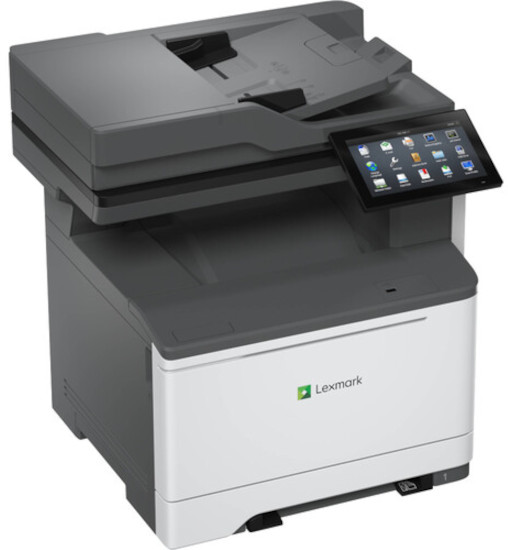
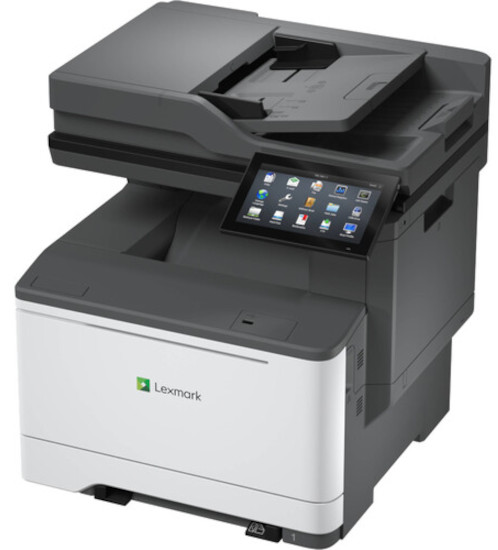
Lexmark CX635adwe MultiFunction Color Laser Printer
*Images may show options not included in price.
*** ALL TONERS AND SUPPLIES ARE IN STOCK AT DISCOUNTED PRICING , CALL +18882983095.
Printers do not include supplies - toners , drums (Imaging Units) (where applicable) , printer cables , manuals , consumables , trays (where applicable). Power cables are included. Drivers can be downloaded from the manufacturers website. Please verify that drivers available are compatible with your software on the manufacturers site.
Gigabit Ethernet (10/100/1000), Front USB 2.0 Specification Hi-Speed Certified port (Type A), Rear USB 2.0 Specification Hi-Speed Certified Port (Type A), 802.11a/b/g/n/ac + Apple iBeacon, USB 2.0 Specification Hi-Speed Certified (Type B)
Size (in. - H x W x D)
19.3 x 18.9 x 18.7 in.
Weight (lb.)
59.5 lb.
Copying
Copy Speed
Up to:
Black: 42 cpm2 (Letter)
Color: 42 cpm2 (Letter)
Copy Speed Duplex
Up to:
Black: 21 spm2 (Letter)
Color: 21 spm2 (Letter)
Time to First Copy
As fast as:
Black: 6.674 seconds
Color: 6.579 seconds
Reduce / Enlarge Range
25 - 400 %
Faxing
Modem Speed
ITU T.30, V.34 Half-Duplex, 33.6 Kbps
Fax Transmission Speed
< 3 seconds per page
Printing
Print Speed
Up to:
Black: 42 ppm2 (Letter)
Color: 42 ppm2 (Letter)
Print Speed Duplex
Up to:
Black: 21 spm2 (Letter)
Color: 21 spm2 (Letter)
Time to First Page
As fast as:
Black: 6.3 seconds
Color: 6.3 seconds
Print Resolution
Black: 1200 x 1200 dpi, 4800 Color Quality
Color: 4800 Color Quality, 1200 x 1200 dpi
Duplex
2-sided:
Integrated Duplex
Printable Area
0.17 inches of the top, bottom, right and left edges (within)
Scanning
ADF Scan
DADF (single pass Duplex)
A4/Ltr Simplex Scan Speed
Up to:
Black: 49 / 52 sides per minute
Color: 40 / 42 sides per minute
A4/Ltr Duplex Scan Speed
Up to:
Black: 98 / 104 sides per minute
Color: 80 / 84 sides per minute
Scan Technology
CIS
Optical Scanning Resolution
600 X 600 dpi
Scan File Formats
Send as:
TIFF, Searchable PDF (optional OCR and ISD or hard drive required), BMP, JPEG, JPG
Scan Destinations
e-mail, Lexmark Document Solutions Suite (LDSS), USB or Network connected computer, USB Flash drive, FTP
ADF
100-Sheet Automatic Document Feeder
ADF Paper Input Capacity / ADF Paper Output Capacity
Up to: 100 pages 20 lb or 75 gsm bond
Up to: 100 pages 20 lb or 75 gsm bond
Paper Handling
Media Types Supported
Vinyl Labels, Paper Labels, Card Stock, Plain Paper, Envelopes, Refer to the Paper & Specialty Media Guide
Number of Paper Inputs
Standard: 2
Maximum: 6
Paper Input Capacity
Standard: 251 pages 20 lb or 75 gsm bond
Maximum: 2001 pages 20 lb or 75 gsm bond
251 pages 20 lb or 75 gsm bond
Paper Output Capacity
Up to:
Standard: 200 pages 20 lb or 75 gsm bond
Maximum: 200 pages 20 lb or 75 gsm bond
Paper Weight Range Supported
lb.:
16 - 80 lb. (Standard Tray)
16 - 97 lb. (Multipurpose Feeder)
Optional Paper Handling
650-Sheet Duo Tray, 550-Sheet Tray
Recommended Monthly Page Volume
1,500 - 10,000 pages3
Maximum Monthly Duty Cycle
Up to:
125,000 pages per month4
Hardware
Processor Speed
Quad Core, 1.2 GHz
Memory
Standard: 2048 MB
Maximum: 2048 MB
Hard Disk
Intelligent Storage Drive available; Magnetic Hard Disk available
Printer Languages
Standard:
PCL 5, PCL 6 Emulation, Personal Printer Data Stream (PPDS), PostScript 3 Emulation, PDF 1.7 emulation, Direct Image
SSL Cipher Configuration, Certificate Management, TCP Restricted Server List, IPSEC Support (IPv4/IPv6), TCP/UDP Port Access Control, Security Port Lockdown




 Shopping Cart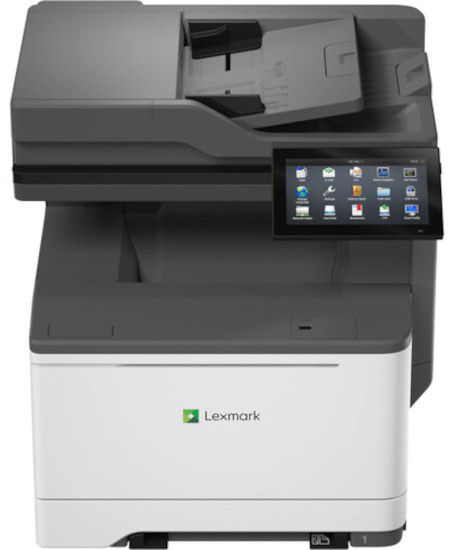



 Download Manufacturer Specifications





