



 Shopping Cart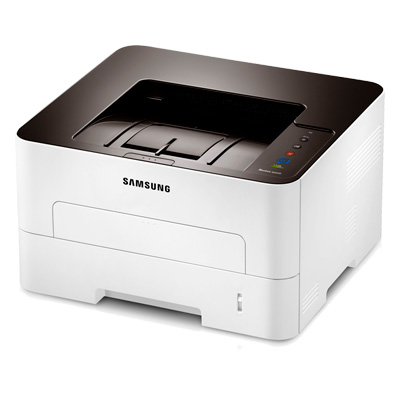



*** ALL TONERS AND SUPPLIES ARE IN STOCK AT DISCOUNTED PRICING , CALL +18882983095..
Printers do not include supplies - toners , drums (Imaging Units) (where applicable) , printer cables , manuals , consumables , trays (where applicable). Power cables are included. Drivers can be downloaded at www.hp.com. Please verify that drivers available are compatible with your software on HP’s site.
Images are for illustration purposes only and do not necessarily reflect the actual product.Product Details
Specifications
Accessories
Reviews
Product Details
Main Features
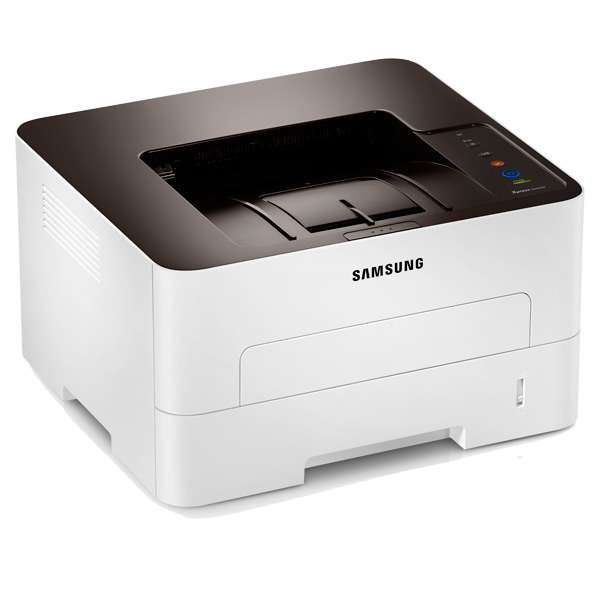
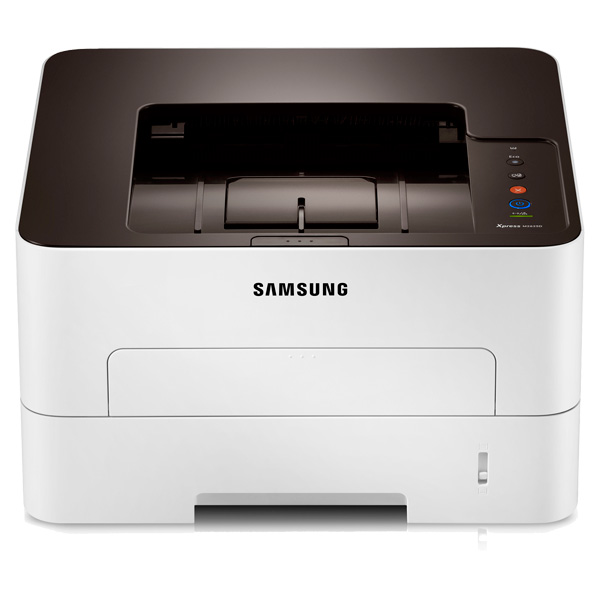
- Professional Performance, Perfect Price - Be much more productive and efficient with a fast and easy-to-use printer that gives you great value for money. Reduce print costs but don’t settle for less than the best. The efficient Samsung Xpress M2625D gives you the speed you need to be more productive, without compromising on quality. What’s more, thanks to the Easy Printer Manager software, convenient bypass tray, and automatic duplex this printer is designed with ease of use and cost savings in mind.
- Print Fast, Don't Wait - However demanding your professional printing needs, the Samsung Xpress M2625D gives you great results – fast. Save time by printing complex documents at speeds of up to 27 pages per minute (PPM) thanks to a powerful 600MHz processor and 128MB of memory. With the new Cortex-A5 processor, it’s up to 25.6% faster than earlier models, making it one of the fastest printers in its class. That means it helps you to work faster, be more flexible and more productive.
- Give A Good Impression With Great Print Quality - Now impressive professional-quality prints are possible for everyone. Your Samsung Xpress M2625D delivers sharp, clear prints that are sure to make a big impact. Thanks to its 4800 x 600 dpi effective resolution and Rendering Engine for Clean Page (ReCP) technology, you can enjoy higher performance and quality without the need for a bulky larger printer. What’s more, quality-boosting features give you more detail, smoother images and clearer text.
High Resolution Printing
Even complex images and small text are delivered in fine, detailed prints, thanks to high-resolution print quality up to 4800 x 600 dpi effective.
Edge Enhancement
Enjoy clearer text and more vivid images thanks to edge enhancement, which gives them a far more polished and well-defined edge.
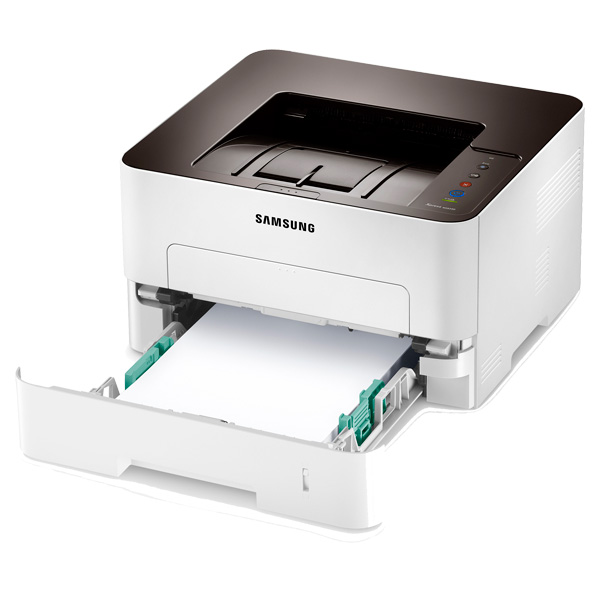
- Print With More Paper Types For All Kind Of Uses - Regardless of what you need to print, the Samsung Xpress M2625D can handle your needs with ease. The small but robust printer can use a range of media up to 59 lb. stock, including paper, labels, cards, envelopes and overhead projector (OHP) transparencies. Selecting customer paper types through the driver is easy, and loading them through the multi-purpose bypass is convenient as well.
- Better For Your Budget And The Planet - Cut your toner and paper costs with the One-Touch Eco Button. It’s optimized, so just a click of the button allows you to easily use N-up and duplex printing, which lets you print multiple document pages on a single sheet and skip wasteful blank pages. With toner save mode, you can also reduce toner use and bring your printing costs down even more.
- Cut Energy And Supply Consumption - With the Easy Eco Driver, you can make savings of up to 20% on toner and paper as well as reducing your energy usage. It helps you cut down on page elements that use high amounts of toner, such as images and bold type fonts, or lighten text so that less toner is required. You can preview and edit your documents before printing, to make sure that the output meets your needs in terms of efficiency and also quality. The Eco Results Simulator also shows you the estimated reduction percentage of CO2, electricity, and paper, so you can see the difference for yourself.
- Cut Costs With Separated Toner System - With Samsung’s Separated Toner System, the toner cartridge and imaging unit are supplied separately. This means you only need to buy the toner cartridge when it’s empty, so the overall cost of running the printer – and the cost per page – is reduced. Installation is also easy, so you can spend less time maintaining your printer as well as less money. You can balance your budget as well as meet all your printing needs.
- Monitor And Manage Your Printer Easily - Samsung’s Easy Printer Manager lets you look after your printer’s settings, device status, supply ordering and faxing – all in one place. You can conveniently see error reports and monitor the status of your printer and its supplies, as well as manage settings remotely. It’s all provided in one single interface that brings together all your Samsung Printer’s settings and applications.
Specifications
General Specifications
| Printing | ||
|---|---|---|
|
Print Speed (Black)
|
Up to 27ppm in Letter | |
|
Print Resolution (dpi)
|
600 x 600 dpi / up to 4800 x 600 dpi effective ouput | |
|
First Print Out Time (Black)
|
less than 8.5 sec | |
|
Emulation
|
SPL | |
|
Duplex Printing
|
Built-in | |
| Paper Handling | ||
|---|---|---|
|
Paper Input Capacity (Standard)
|
250 Sheet Cassette with 1 Sheet Multipurpose Bypass | |
| Output Capacity | 150 sheets | |
|
Media Sizes
|
3" x 5" - 8.5" x 14" | |
|
Media Type
|
Plain, Thin, Thick, Cardstock, Recycled, Bond, Archive | |
| General | ||
|---|---|---|
|
Processor
|
600 Mhz (Cortex-A5) | |
| System Memory | 128MB | |
|
Interface
|
Hi-Speed USB 2.0 | |
| Noise Level | Less than 50dBA printing, less than 26 dBA standby | |
| Monthly Duty Cycle | 12,000 pages | |
|
OS Compatibility
|
Windows 8/7/Vista/XP/2008/2003/2000, Various Linux, Unix, Mac 10.5 and up | |
| Power Consumption (W) | <400W (Average operation), <45W (Ready Mode), <0.9W (Standby Mode), 1.1 kWh TEC | |
| Dimensions | ||
|---|---|---|
|
Product Dimensions (W x D x H, in)
|
14.5" x 13.2" x 8.0" | |
|
Shipping Dimensions (W x D x H, in)
|
17.8" x 16.5" x 13.0" | |
| Weight | ||
|---|---|---|
|
Product Weight (lb.)
|
16.4 lb. | |
| Shipping Weight (lb.) | 20.5 lb. |
|
Accessories
*** ALL TONERS AND SUPPLIES ARE IN STOCK AT DISCOUNTED PRICING , CALL +18882983095
Reviews


Allow ink to dry completely to avoid smudging. The time will vary based on the ink and paper quality used as well as the temperature and humidity conditions.
Most printers have a built-in diagnostics program which can be very useful for troubleshooting problems and test-printing without a computer. They are usually initiated by pressing a button or two while turning on the printer.
Printer not working? Be sure the paper is installed correctly and there is enough of it.
MY ACCOUNT
INFO & POLICIES
SHOP EASY
PAYMENT OPTIONS



