



 Shopping Cart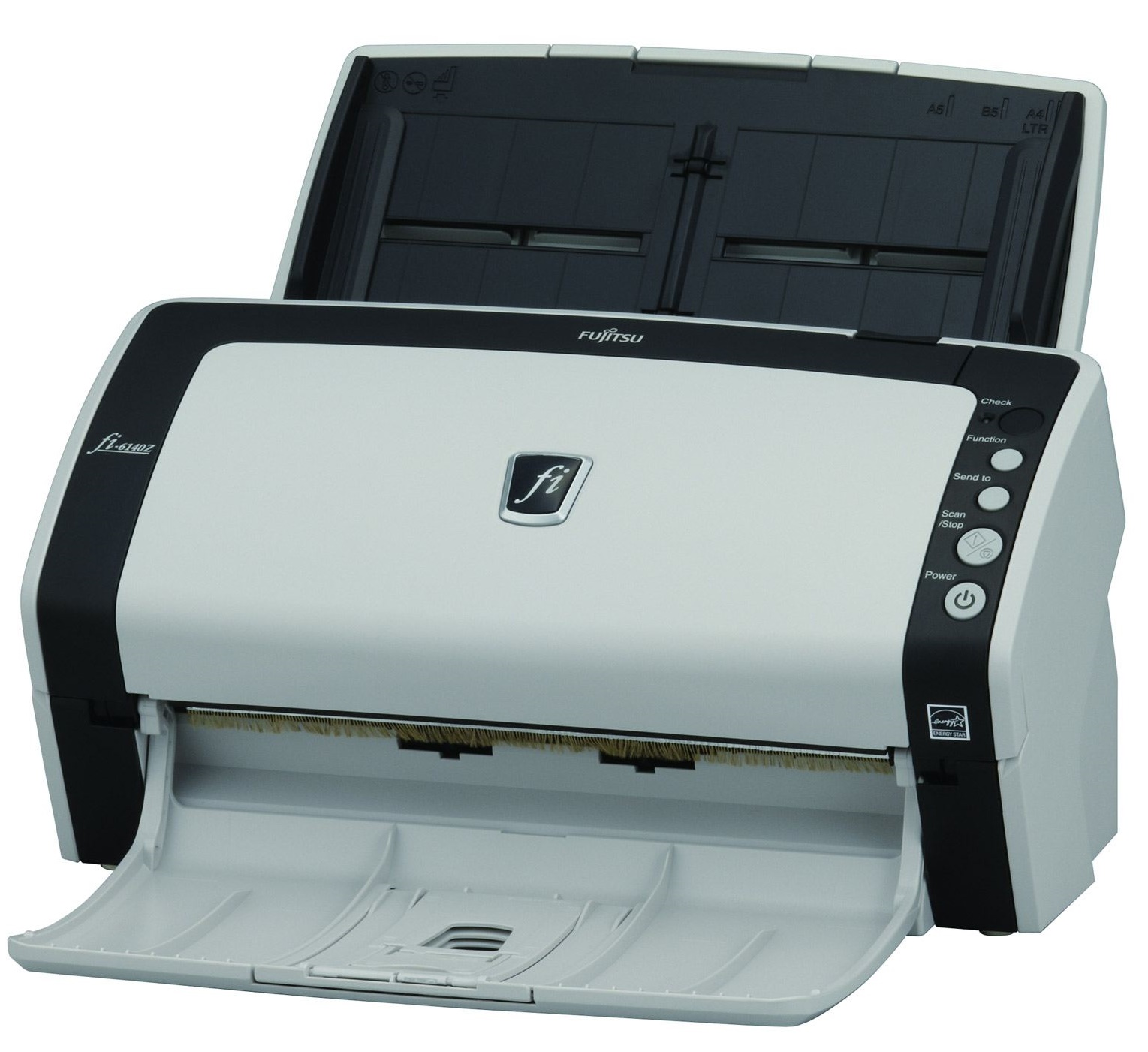

Product Details
Specifications
Accessories
Reviews
Product Details
Overview:
The Fujitsu fi-6140 scanner is the smallest in its class, but it scans an impressive 60 pages or 120 images per-minute in Monochrome or Grayscale (Letter @ 200dpi) as well as 40 pages or 80 images per-minute in Color (Letter @ 300dpi).
Furthermore, the Fujitsu fi6140 model has adopted high-end fi series functions, including:
- Paper Protection technology: Protects valuable documents by halting the scanning process when it recognizes that a jam is about to occur.
- Intelligent MultiFeed Function (iMFF): Simplifies pre-scanning preparation and improves efficiency by ignoring documents that trigger false multifeed alerts such as a photo or sticky note.
- Intelligent Capture Correction Function (iCCF): Auto-color recognition, auto-size detection, and auto de-skew correction provides dramatic efficiency by combining fast scanning with simultaneous high speed image processing.
Main Features:
- Fast, 60 ppm/120 ipm scanning in monochrome and grayscale
- Best in class 300 dpi color scanning at 40 ppm/80 ipm
- First scanner in its class to offer Intelligent MultiFeed Function (iMFF) as well as advanced Paper Protection technology
- Comes bundled with Kofax VRS Professional, Adobe Acrobat Standard, and ScandAll Pro imaging software
Specifications
General Specifications
| Functional Specifications | |||
|---|---|---|---|
| Scanning Technology | CCD sensors x 2 | ||
| Scanning Mode | Black and White / Grayscale / Color | ||
| Document Feeding Mode | ADF | Flatbed | |
| Yes | No | ||
| ADF Capacity | 50 pages | ||
| Document Size | ADF minimum: | A8 (52 x 74mm) | |
| ADF maximum: | A4 (210 x 297mm)* | ||
|
Scanning Speeds | |||
| Output | Simplex | Duplex | |
| A4 Portrait | 60ppm @ 200 dpi color 40ppm @ 300dpi color |
120ipm @ 200 dpi color 80ipm @ 300 dpi color |
|
| ADF Background Color | White (default) / Black selectable | ||
| Bundled Software | FJ TWAIN driver, ScandAll PRO v2 Premium, ISIS Driver, QuickScan (demo), Soft IPC (demo), VRS Pro, Scan to Microsoft SharePoint, ABBYY FineReader for ScanSnap, Scanner Central Admin | ||
| Functions | Intelligent multi-feed, paper protection, auto page size and color detection, enhanced card scanning, automatic job separation, Image Emphasis, Simplified DTC, Error Diffusion, Dither, Moire removal, RGB Dropout, Hardware JPEG compression | ||
| Interfaces | SCSI 2.0 and USB 2.0 Half Pitch 50-pin D-socket (Ultra) |
||
|
Physical Specifications | |||
| Dimensions (Height x Width x Depth) | 158mm x 301mm x 160mm | ||
| Weight | 4.2kg | ||
| Humidity (operating) | 20-80% RH (non-condensing) | ||
| Power Consumption | 42W (6.2W in sleep mode) | ||
| Power Requirement | 100-240VAC | ||
| Operating Temperature | 5-35° C | ||
Accessories

Reviews



Bear in mind that in order to get the best quality, you should scan the original negative rather than the printed photo, if it's available.
In order to speed up scanning, try to use a faster PC with more memory / RAM and work with as little data as possible.
Photo scanners are designed to scan photographs up to approximately 4x6 inches.
MY ACCOUNT
INFO & POLICIES
SHOP EASY
PAYMENT OPTIONS



